Imagine this scenario: It is 3:00 AM on a Sunday. Your IT team is asleep. But a threat actor in a different time zone is wide awake, launching a script to encrypt your company’s server.
In the traditional cybersecurity model, you would wake up on Monday to a red screen demanding a ransom. The human reaction time is simply too slow to stop an automated attack.
But today, modern security operations centers (SOCs) operate differently. At 3:01 AM, an AI-driven agent detects the anomaly—not because it “knew” the attacker, but because the behavior looked suspicious. It isolates the server instantly. You wake up to a notification saying: “Threat Contained.”
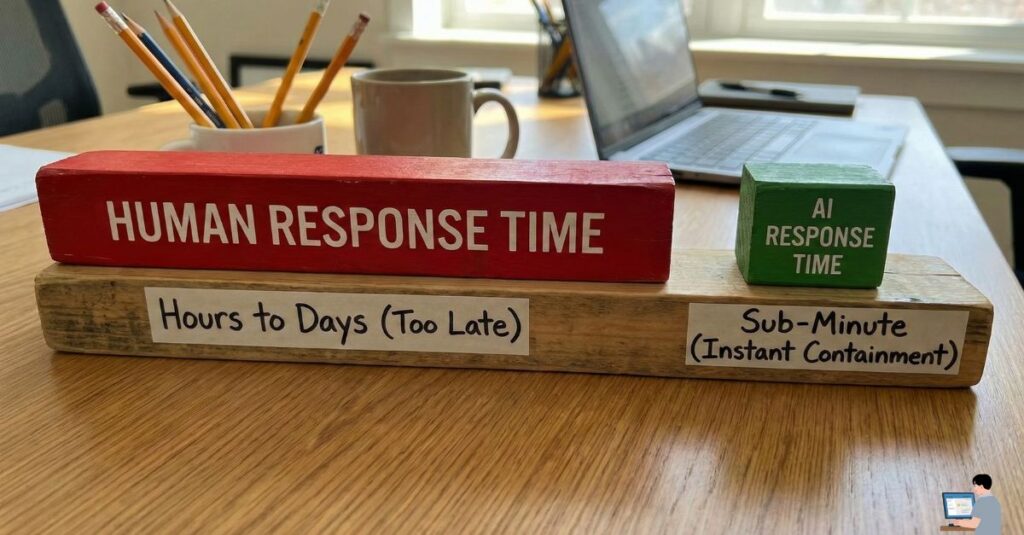
This is not science fiction. It is Automated Remediation, and in my experience, it is the only way to survive the current landscape of cyber threats.
Here is how AI is shifting the battlefield from “reaction” to “prevention,” and how you can apply these principles to your own digital safety.
Phase 1: The “200-Day” Problem
A common question I hear from clients is, “Why do we need AI? Aren’t firewalls enough?”
The honest answer? No. Firewalls are static walls. Hackers are dynamic climbers.
The Reality of Human Error Industry data suggests that the average time it takes a human team to detect a breach is over 200 days. Why? Because humans have to sleep, eat, and rest.
- The Threat: Attackers now utilize “Offensive AI” to generate unique malware variants that bypass traditional antivirus signatures.
- The Gap: You cannot fight a machine-speed attack with human-speed reflexes. You need a machine on your side.
Phase 2: How “Heuristic” Defense Works
Most people think antivirus software works like a “Wanted Poster”—it looks for files it recognizes as bad. But what happens when a hacker creates a new virus that has never been seen before?
This is where AI saves the day through a process called Heuristic Analysis.
Instead of looking for a “fingerprint,” the AI looks for behavior.
- The Scenario: A legitimate employee might open 5 files in a minute.
- The Flag: If a program tries to rename or encrypt 1,000 files in one second, the AI intervenes. It reasons: “Humans don’t act like this. This process must be terminated.”
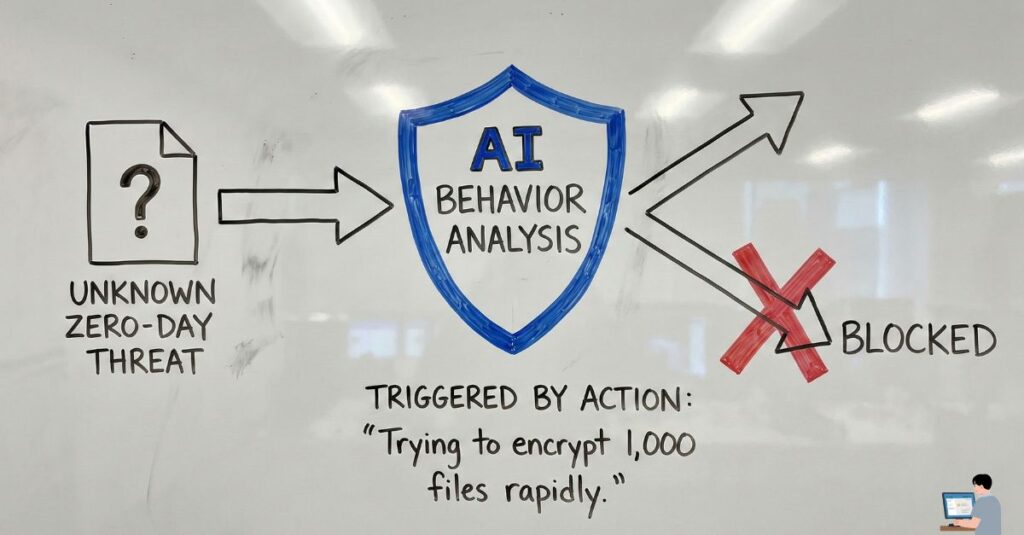
Tools like SentinelOne or CrowdStrike utilize this technology to freeze specific processes instantly, preventing the ransomware from spreading to the rest of the network.
Phase 3: Securing Your Personal Perimeter
You don’t need to be a Fortune 500 company to benefit from AI security. As users, we often ask, “How do I stop hackers from accessing my phone?”
The answer lies in enabling the AI protections already built into your device.
1. For Your Mobile Device (The “On-Device” AI) Modern smartphones (both Android and iOS) utilize on-device machine learning to scan app behavior.
- Action Step: Ensure Google Play Protect (Android) is active or check your App Privacy Report (iPhone). These features run quietly in the background, analyzing if an app is accessing your microphone or data when it shouldn’t be.
2. The “2FA” Standard If a hacker steals your password using AI-generated phishing emails, your last line of defense is 2-Factor Authentication (2FA).
- Expert Recommendation: Move away from SMS-based 2FA (which can be intercepted). Use an authenticator app (like Google Authenticator or Authy). This generates a code locally on your device that a remote hacker cannot replicate.
Phase 4: The Reality of Data Recovery
We must address the worst-case scenario. Users frequently ask, “Can I recover my data after a hack?”
I need to be transparent with you: Once modern ransomware encrypts your files, recovery without a backup is nearly impossible. Decryption tools are rare and often ineffective against new strains.
The AI “Rollback” Solution However, some advanced AI security tools offer a feature called “Shadow Copy Rollback.”
- How it works: The moment the AI detects an encryption attempt, it instantly creates a hidden backup of your files. If the malware succeeds in locking the original files, the system can “rewind” to the clean shadow copies from one minute prior.
Conclusion: Trust, but Verify
AI is not a magic bullet. It generates false positives, and it cannot fix weak passwords or poor employee training. However, it is an essential layer of defense.
To bulletproof your digital life:
- For Business: Invest in Endpoint Detection and Response (EDR) with automated rollback capabilities.
- For Personal: Enable 2FA on every account and use a cloud backup solution that supports “versioning” (saving previous versions of files).
Security is not about being unhackable; it’s about making yourself too difficult to hack.