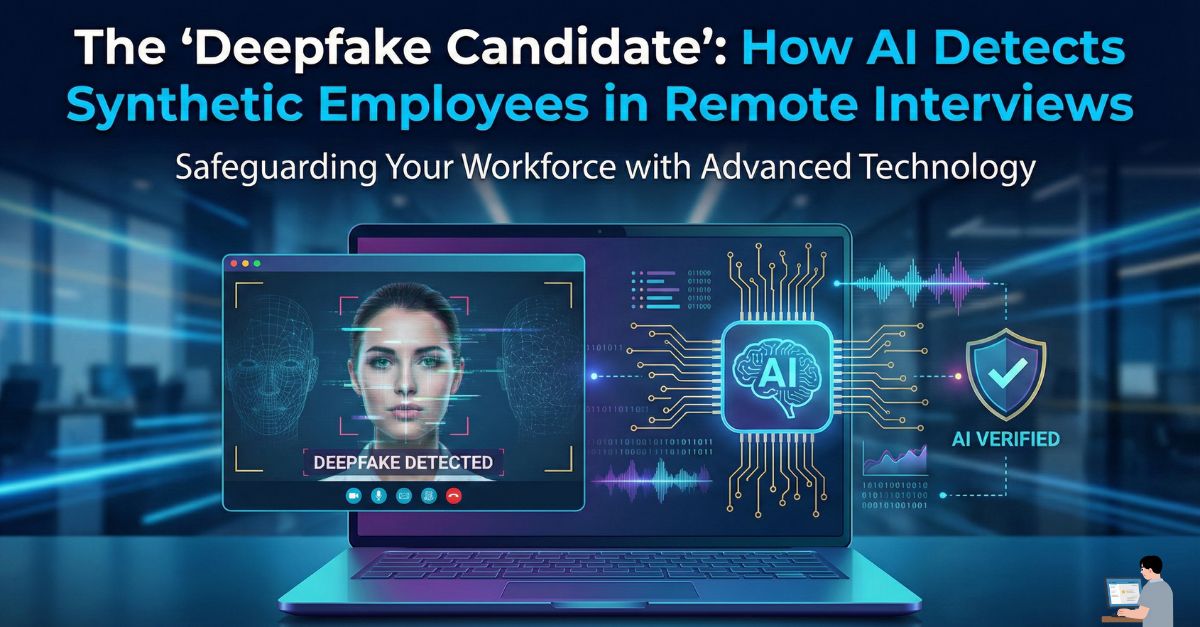
You posted the job on Monday. By Tuesday, you found the perfect candidate. Their resume is flawless. They have 10 years of Senior Engineering experience. During the Zoom interview, they are polite, eager, and answer every technical question correctly. You hire them on the spot.
Two weeks later, your IT team notices something strange. The “employee” is logged in, but they aren’t doing any work. Or worse—they are downloading your entire customer database.
You didn’t hire a person. You hired a Deepfake.
In the era of remote work, Identity Fraud has evolved. Criminal organizations are now using “Laptop Farms” and real-time AI voice changers to infiltrate Western tech companies.
In this guide, we will explain the mechanics of the “Fake Employee” scheme and how Biometric Liveness Detection is the only way to stop it before the contract is signed.
Phase 1: The “IT Worker” Scheme (The FBI Warning)
This is not science fiction. The FBI and U.S. Department of Justice have issued specific advisories regarding foreign IT workers using stolen U.S. identities to secure remote employment.
The Mechanics of the Fraud:
- The “Mule”: The organization pays a real person in the U.S. (a “facilitator”) to host a laptop in their home. This ensures the IP address looks domestic (e.g., coming from Florida, not overseas).
- The “Face”: The remote operator uses real-time Deepfake software to overlay a stolen face onto their own webcam feed.
- The Goal: It is rarely just about the salary. The ultimate goal is often Insider Access—deploying ransomware or stealing Intellectual Property (IP).
Phase 2: How AI “Sees” the Glitch (Technical Detection)
To the human eye, a 2026 deepfake looks 99% authentic. However, AI Video Analysis does not look at the face; it looks at the pixels.
1. The “Neck Glitch” (Passive Liveness)
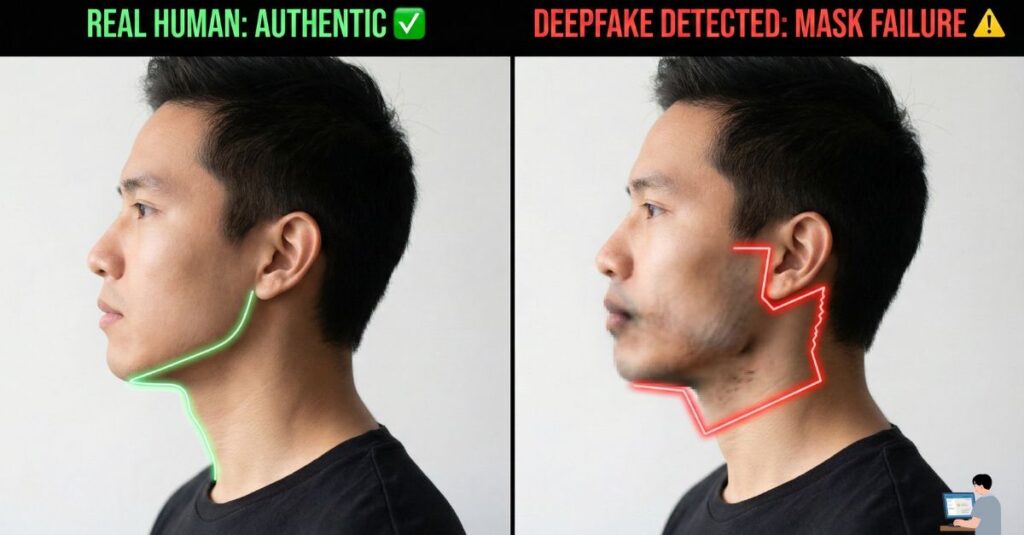
Deepfake software works by wrapping a digital “mask” over the user’s face.
- The Flaw: The mask often struggles to connect the face to the neck and shoulders seamlessly.
- The Detection: Security AI monitors the jawline boundary. If the face moves but the shadows on the neck do not match the movement perfectly (or if the collar of the shirt blurs), the AI flags it as “Synthetic Media.”
2. The Audio-Visual Latency Rule
Deepfake audio requires processing power. It must listen to the operator’s voice, modify the pitch/accent, and transmit it back.
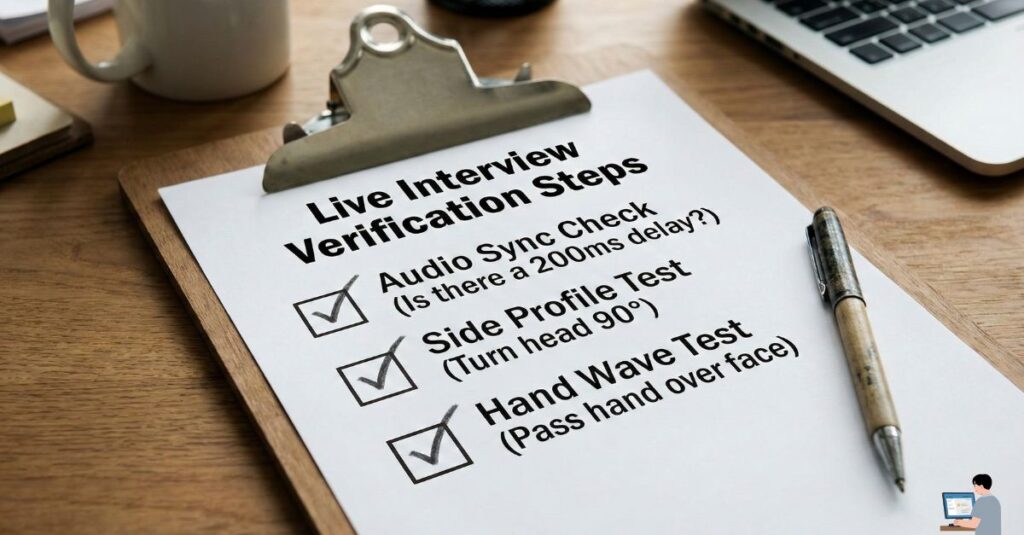
- The Tell: This process creates a 200-millisecond delay (latency) between the lips moving and the sound emerging. Humans often ignore this, assuming it is just “bad Wi-Fi.”
- The Fix: AI analysis measures “Lip Sync Latency.” If the delay is mathematically consistent across the entire call (rather than random spikes), it indicates a voice changer is active.
3. Micro-Expression Analysis
Real humans have “micro-expressions”—involuntary twitches around the eyes when we smile or frown.
- The AI Fix: Deepfakes are often “too smooth.” If the candidate’s eyes remain dead still while their mouth is laughing, the AI warns: “Emotion Mismatch Detected.”
Phase 3: Actionable “Turing Tests” for Recruiters
You do not always need expensive software to spot a fake. You can use these “Human Liveness Tests” during the Zoom interview to break the deepfake algorithm.
1. The “Side Profile” Test Deepfake models are trained primarily on front-facing photos. They often fail at extreme angles.
- The Ask: “Can you turn your head all the way to the left and look at the wall for a second? I want to check your audio profile.”
- The Result: A deepfake face will often “snap,” glitch, or disappear when turned 90 degrees. A real face will not.
2. The “Hand Wave” Test
- The Ask: “Can you wave your hand in front of your face?”
- The Result: Deepfake filters try to render the face on top of everything. If the hand passes behind the digital face (or if the face flickers when obstructed), it is a confirmed fake.
Phase 4: Real User FAQ (Your Pain Points Solved)
Q: How do I spot a fake candidate on a resume? A: Look for the “Ghost Pattern.”
- They claim to have worked at top companies (Google, Microsoft) but have zero LinkedIn recommendations or mutual connections.
- Their profile photo looks “too perfect.” AI-generated faces often have blurry ears, mismatched earrings, or incoherent backgrounds.
Q: Can I use AI to interview candidates?
A: Yes. Platforms like Veriff or HireVue use Active Liveness Detection. They ask the candidate to “follow the dot” with their eyes on the screen—a task a pre-recorded deepfake cannot perform.
🎁 Bonus Guide: The “Anti-Deepfake” Analysis Prompt
You can use your own secure AI tools to analyze interview transcripts for signs of scripted responses (a common trait of fake candidates).
⚠️ Warning: Do not upload PII (Personally Identifiable Information). Anonymize the transcript before analysis.
🕵️ Power Prompt: The “Script Hunter”
Goal: To determine if a candidate is reading an AI-generated script rather than speaking naturally.
System Role: You are a Linguistic Security Analyst specializing in Social Engineering. Task: Analyze the following interview transcript for “Synthetic Speech Patterns.” Red Flags to Spot:
- Lack of Specificity: The candidate uses high-level buzzwords (“synergy,” “scalability”) but cannot describe a specific bug they fixed.
- Unnatural Structure: The answers follow a perfect essay format (Intro -> 3 Points -> Conclusion), which is not how humans speak in casual conversation.
- The “Wiki” Tone: Phrases that sound like a definition rather than an experience (e.g., “Java is a versatile language that…” instead of “I used Java to…”). Output: Provide an “Authenticity Score” (1-10) and highlight suspicious, robotic phrases.
Conclusion: Trust Your Gut (And Your Tools)
The era of “Trusting the Face” is over. A video feed is just data, and data can be spoofed.
By implementing Biometric Liveness Checks and simple “Human Tests” (like the Side Profile check), you can ensure that the person you hire is the person who actually shows up to work.