
It’s 4:45 PM on a Friday. You are tired. You are thinking about the weekend. An email pops up from your CEO: “Urgent: Please review the attached invoice before the bank closes at 5:00.”
You don’t think. You just want to be helpful. You click. The screen flashes. Your files lock up. A red countdown timer appears.
That pit in your stomach? That cold, sinking feeling? That is the sound of Human Error costing your company everything.
We often imagine hackers as hooded geniuses in dark rooms typing furiously. But the truth is much simpler—and much scarier. Hackers don’t “hack” into systems anymore. They log in. They log in using your password, stolen because you were tired, stressed, or simply human.
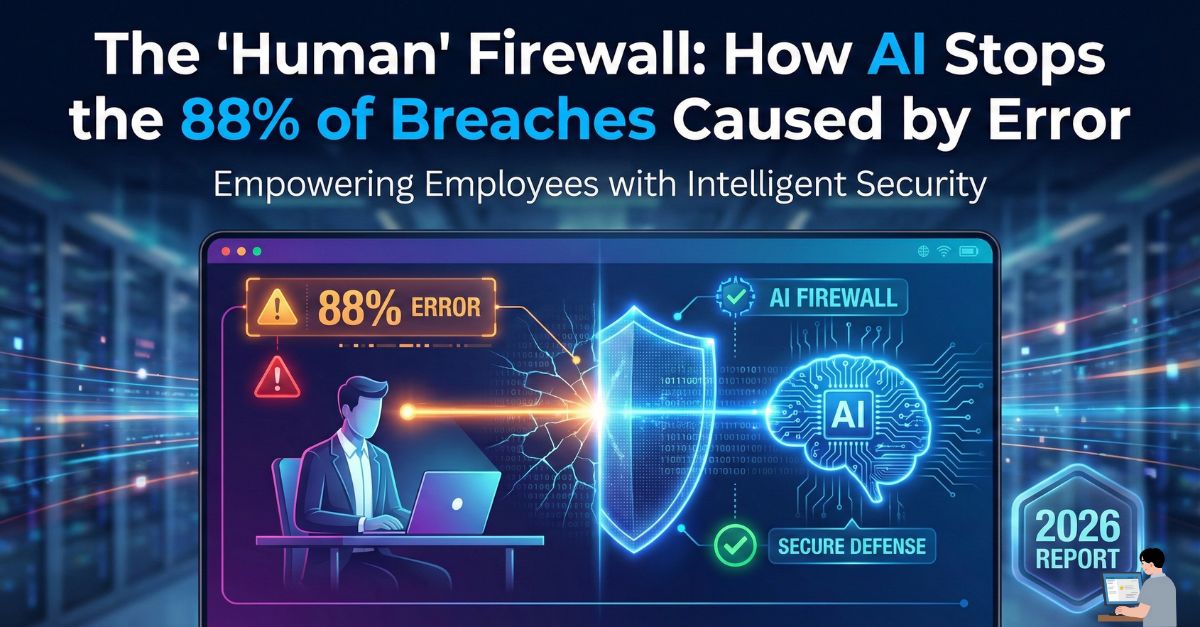
In this executive guide, we are building a ‘Human’ Firewall. We will explore why 88% of data breaches are caused by human error and how AI-Driven Threat Detection acts as a safety net to catch your employees before they fall.
Phase 1: The “88% Reality” (Why Smart People Make Mistakes)
Let’s settle the numbers first.
- The Stanford Study: Research revealed that 88% of data breaches are caused by human error.
- The IBM Report: Recent data suggests that up to 95% of cybersecurity incidents involve a human element.
What does this mean for your budget? It means that out of 10 hacks, 9 of them didn’t happen because your Enterprise Firewall was weak. They happened because an employee:
- Clicked a Phishing Link (Curiosity).
- Used Weak Credentials like “Password123” (Laziness).
- Misconfigured a Cloud Server (Fatigue).
The “Human Gap”: You cannot “patch” a human being like you patch Windows. We get tired. We get tricked. This is why Human Risk Management (HRM) is the fastest-growing sector in cybersecurity.
Phase 2: Anatomy of an Accidental Breach
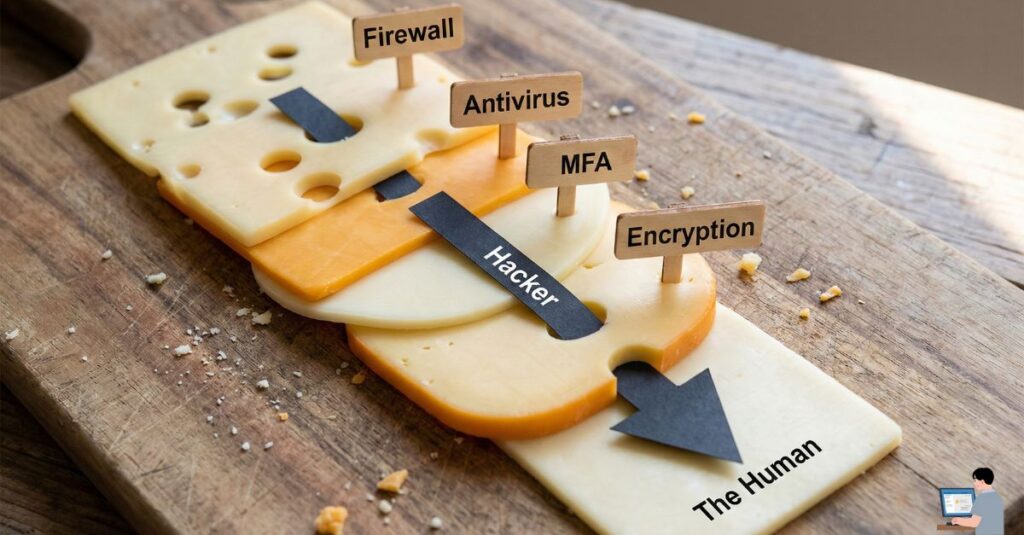
To fix the problem, we must understand the three types of Insider Threats that destroy businesses:
1. The “Fat Finger” Error (Data Exfiltration)
- Scenario: You mean to email “Sarah (CFO)” but auto-complete selects “Sarah (External Vendor).” You attach the unencrypted company payroll file and hit send.
- The Result: A massive GDPR/CCPA Compliance Violation caused by a split-second muscle memory mistake.
2. The “Helpful” Error (Social Engineering)
- Scenario: A hacker calls your receptionist pretending to be IT support. “Hey, we’re updating the servers, I need the 2FA code sent to your phone.”
- The Result: The receptionist, trying to be helpful, bypasses your Multi-Factor Authentication (MFA). No software can stop this—only suspicion can.
3. The “Exhaustion” Error (Alert Fatigue)
- Scenario: Your antivirus pops up a warning. You’ve seen it 50 times today. You click “Ignore” just to make it go away.
- The Result: You just ignored the one real Ransomware Payload hidden among the false alarms.
Phase 3: The Solution (How AI Becomes Your Safety Net)
You cannot train your employees to be perfect. But you can deploy Artificial Intelligence that learns their behavior and watches their back.
Here is how AI stops the 88%:
1. Inbound Protection (Stopping the Phish)
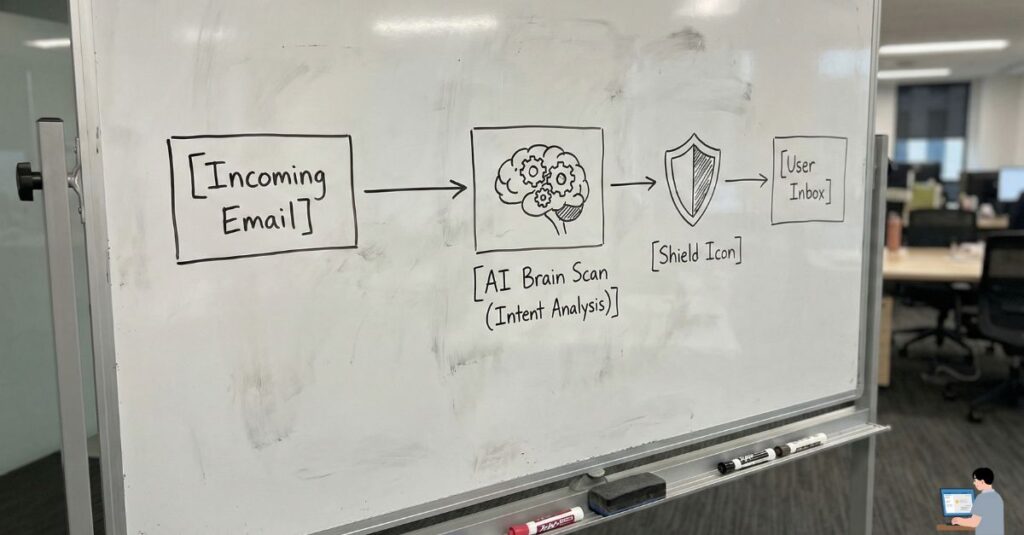
Legacy filters look for “bad words.” AI looks for Intent.
- How it works: The AI analyzes the context. It knows your CEO never asks for gift cards at 3 AM. It knows that this specific email comes from a “look-alike domain” (e.g.,
company-update.cominstead ofcompany.com). - The Fix: Before you can even click, the AI flags the email: “Warning: This sounds like your CEO, but the sender reputation is low. Verify before replying.”
2. Outbound Protection (Data Loss Prevention)
This is the most “human” fix of all.
- How it works: As you type “Sarah” and attach
Payroll.xlsx, the AI scans your Relationship Graph. It sees you have never sent financial files to “Sarah (Vendor)” before. - The Fix: A gentle pop-up appears: “Hold on! You usually send financial files to Sarah (CFO). Are you sure you want to send this to an external recipient?”
- The Value: It saves your career in one second.
3. Behavioral Biometrics (Stopping Account Takeover)
If a hacker steals your password, they look like you. But they don’t act like you.
- How it works: AI learns your Digital Fingerprint. It knows you type at 60 words per minute, you use a Mac, and you access the Cloud ERP from London.
- The Fix: Suddenly, your account logs in from a Linux machine in a different country and tries to download 5,000 files. The AI knows this isn’t you. It triggers an Identity Lock instantly—even with the correct password.
FAQ: Your Security Questions Answered
Q: Can AI be 100% trusted? A: No. AI creates “False Positives.” However, it is infinitely more vigilant than a tired human at 5 PM. It reduces the Attack Surface by 90%+, but human oversight is still needed.
Q: What happens if Ransomware is activated? A: It immediately begins encrypting your hard drive. Modern Endpoint Detection and Response (EDR) tools can detect this “rapid encryption” behavior and kill the process in milliseconds, potentially saving 95% of your files.
Q: Is “Zero Trust” expensive for small businesses? A: Not anymore. Zero Trust Architecture (Never Trust, Always Verify) is now built into many standard business suites like Microsoft 365 and Google Workspace. It is a configuration choice, not just a product purchase.
Conclusion: Empathy is the Best Security Policy
If you are a business owner reading this, stop being terrified of your own employees. They aren’t the enemy. They are just people.
The 88% statistic isn’t a sign of incompetence; it’s a sign of complexity. AI doesn’t replace your people; it empowers them. It acts as the “Human Firewall”—a digital guardian that taps them on the shoulder and says, “Wait, are you sure?”
That one second of hesitation? That’s the difference between a normal Tuesday and a bankruptcy filing.