
You probably have a “Vampire Subscription” draining your account right now.
Maybe it’s a gym membership you quit in 2022. Maybe it’s a “Free Trial” for an AI avatar app that silently turned into a $19.99/month charge. Studies show the average person wastes roughly $133/month on subscriptions they don’t even use.
Apps like Rocket Money promise to find them for you, but they often charge a monthly fee to do it. Why pay to save money? In 2026, you can use AI to audit your own finances for free.
In this guide, I will show you the exact workflow to “Download, Sanitize, and Destroy” your hidden monthly charges using tools like ChatGPT and simple data hygiene.
1. The Safety First Rule (Read This First)
Is it safe to put bank statements in ChatGPT?
WARNING: Never paste your raw bank statement into a public AI tool. Before you start, you must sanitize your data.
Financial data is sensitive. To use AI safely, you must remove all Personally Identifiable Information (PII) before asking for an analysis.
- What to Remove: Account Numbers, Your Name, Home Address.
- What to Keep: Transaction Date, Merchant Name, Transaction Amount.
- Pro Tip: Use “ChatGPT Temporary Chat” (Incognito Mode) so your financial data isn’t saved to your history.
Step 1: The “CSV Export” Trick
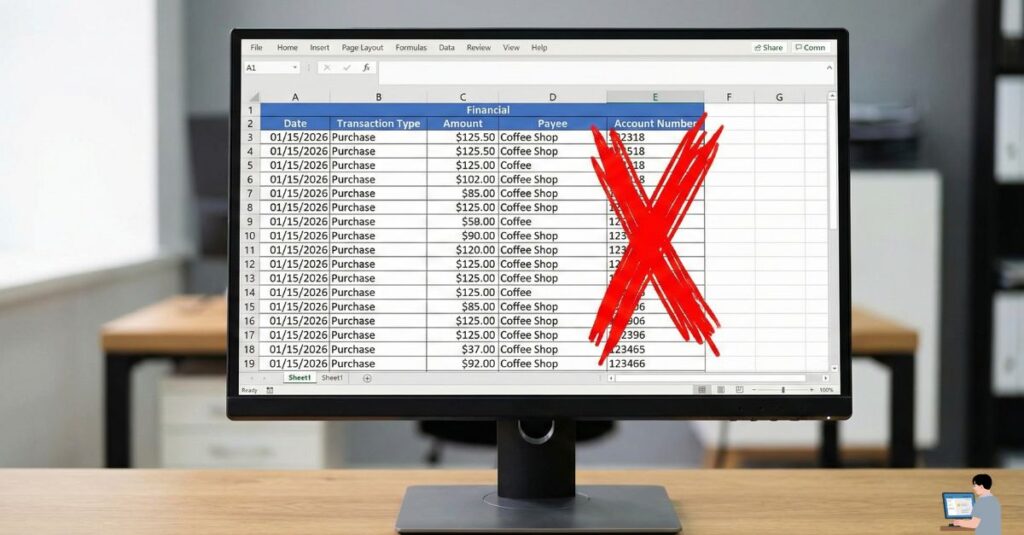
You cannot analyze a PDF efficiently. You need raw data to find hidden leaks.
- Log into your Bank or Credit Card portal.
- Search for “Download Activity” or “Export Transactions”.
- Select “CSV” (Comma Separated Values) format.
- Open the file in Excel or Google Sheets.
- Delete the columns containing your personal info (Account Number, Name).
- Copy the remaining rows (Date, Description, Amount).
Step 2: The “Audit” Prompt
Now, turn ChatGPT into a forensic accountant. Paste your anonymized transactions and use the specific prompt below.
Copy This Prompt:
“I am pasting a list of anonymized bank transactions from the last 90 days. Analyze this data and find the ‘Vampire Charges’.
- Identify Recurring Payments: Look for merchants that appear every 30 days with the same amount (e.g., Netflix, Spotify).
- Flag ‘Hidden’ Fees: Highlight any small charges under $5 that look like service fees or ‘Bank Fees’.
- Calculate Annual Waste: Tell me how much these subscriptions cost me per year if I don’t cancel them.”
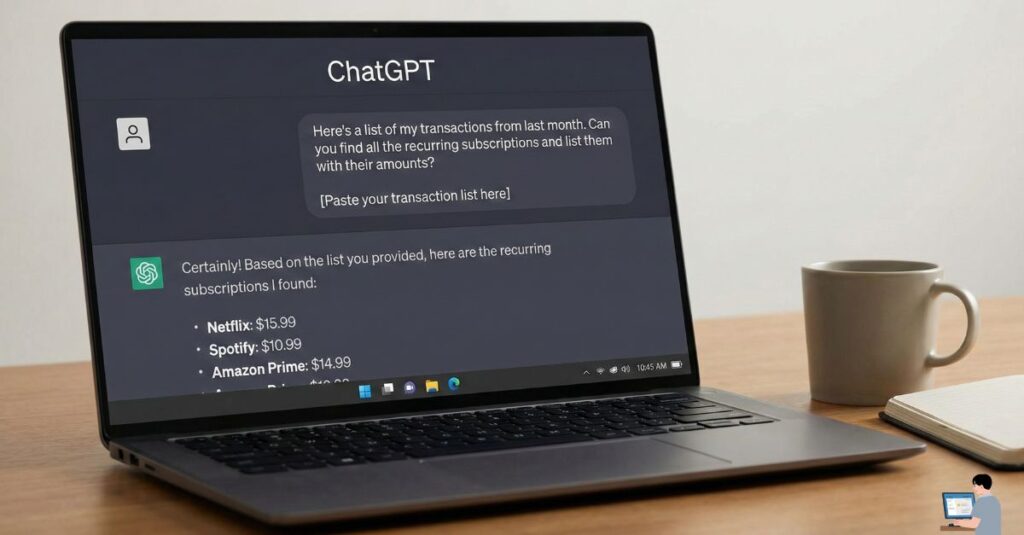
The Result: ChatGPT will generate a report identifying leaks, such as: “You are paying $9.99 to ‘DeepSearch AI’ every month. That is $120/year.”
Step 3: How to Cancel “Hard” Subscriptions
Some companies intentionally hide the cancel button. Here is how to kill the specific difficult ones users often struggle with:
1. AI App Traps (MyTraits AI / DeepSearch AI)
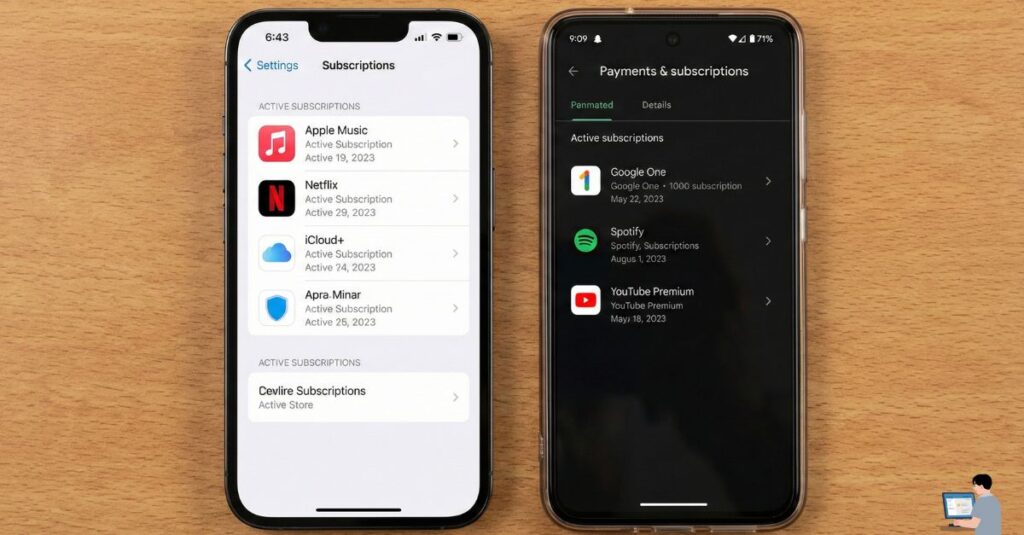
Many users get stuck in “Free Trials” for AI apps.
- The Trap: They often don’t have a “Cancel” button inside the app itself.
- The Fix: You must go to your phone’s App Store Subscription menu.
- iPhone: Settings > [Your Name] > Subscriptions > Tap App > Cancel.
- Android: Google Play Store > Profile Icon > Payments & subscriptions > Subscriptions.
- Refund Policy: Most AI apps have a Strict No-Refund Policy. You must cancel at least 24 hours before the trial ends.
2. Airblue Ticket Cancellation (Pakistan)
- The Rule: Airblue does not have a “No Hidden Fees” policy.
- The Cost: If you cancel more than 48 hours before the flight, they deduct a fixed penalty (approx. PKR 2,000 – 4,000 depending on the route).
- The Trap: If you cancel within 48 hours, the penalty often doubles. Always cancel online via the “Manage Booking” tab to avoid extra “Call Center Agent” fees.
3. MTN Hidden Charges (Nigeria/Global)
If your mobile airtime is vanishing, you are likely subscribed to “VAS” (Value Added Services) like Caller Tunes or Games.
- The Kill Code: Dial
*123*5*1#(or try*447#for the Universal USSD menu) to see active subscriptions. - To Cancel All: Reply with “Stop” or “Unsubscribe All” to the service code (often 131).
Bonus: Clean Your Receipts with AI
Sometimes you scan a receipt for your expense tracker (like Xpense AI), but the AI can’t read it because of coffee stains or a messy background.
The Fix: Use a free “Magic Eraser” tool.
- Upload your receipt photo to Cleanup.pictures or Canva Magic Edit.
- Highlight the coffee stain or the “thumb” covering the numbers.
- The AI removes the object and reconstructs the background.
- Now, upload the clean image to your expense tracker for 100% accuracy.
FAQ: Common Questions
Q: Is Rocket Money safe?
A: Yes, it is safe (it uses Plaid encryption), but the best features are not free. They often take 30-40% of the money they save you as a “Success Fee.” The ChatGPT method above is 100% free and gives you full control.
Q: How do I find hidden subscriptions on iPhone?
A: Go to Settings > Apple ID > Subscriptions. Warning: This only shows apps billed through Apple. It will not show Netflix or Spotify if you signed up via their website with a credit card. You need the Bank CSV Method (Step 1) to find those.
Q: Can I get a refund from MyTraits AI?
A: Likely No. Their terms usually state that “cancellations take effect next billing cycle.” Your best bet is to email their support immediately claiming “Unintentional Subscription” if it was less than 24 hours ago, but this is rarely successful.
Final Verdict: Be The Hunter
Hidden charges rely on you being passive. They hope you won’t check your bank statement. By running this “AI Audit” once a month, you stop being the prey and become the hunter.
Tools to Use Today:
- ChatGPT (For the Audit)
- Privacy.com (To create “Burner Cards” that decline hidden fees)
- USSD Codes (To kill mobile carrier charges)