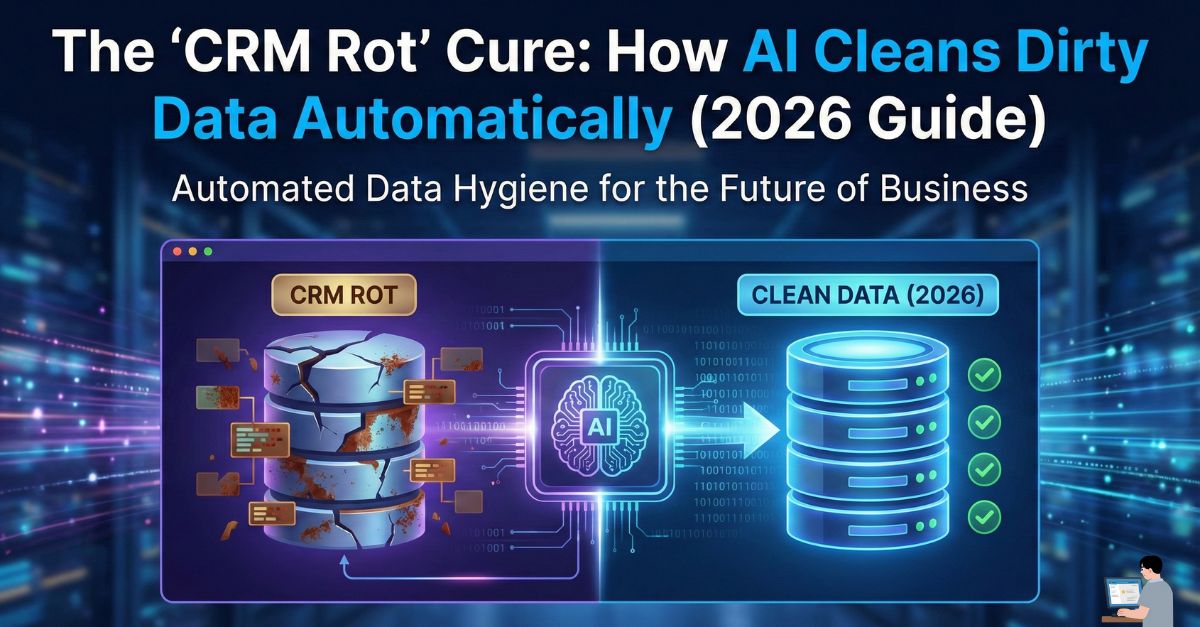
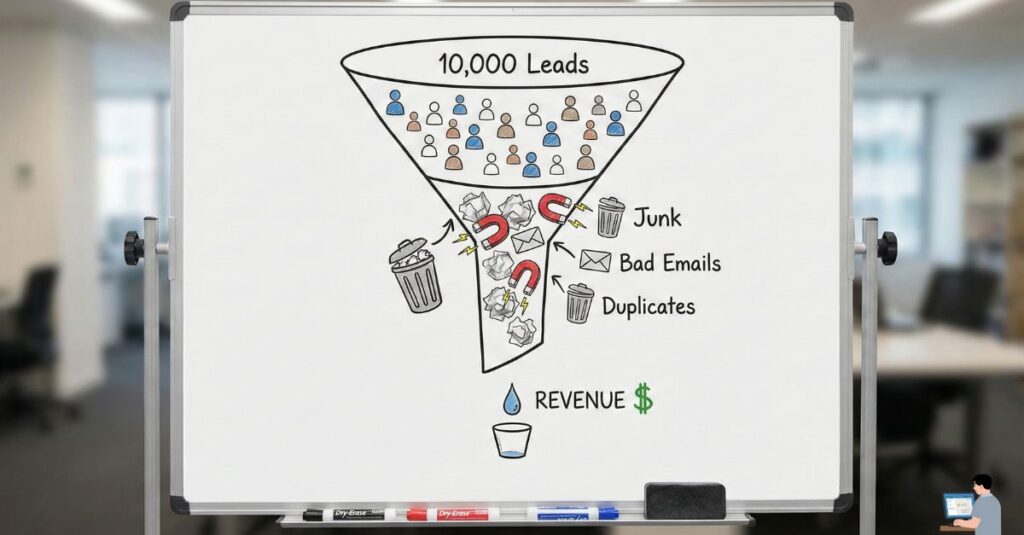
You have a CRM with 10,000 leads. You feel rich. But when your sales rep, Sarah, calls the first 10 numbers, 4 are disconnected, 3 are the wrong person, and 2 are duplicates of existing clients. She spends one hour to have one real conversation.
This is called “CRM Rot.”
New research for 2026 reveals a terrifying statistic: B2B contact data now decays at a rate of 70.3% per year. People change jobs, companies go bankrupt, and cloud-based email servers add new spam filters daily. If you don’t clean it, your expensive Customer Relationship Management (CRM) software becomes a digital graveyard.
In this guide, we move beyond the basics. We will show you how to use AI Data Governance tools to scrub your database, provide a Python/Excel Cheat Sheet for the DIY crowd, and reveal a bonus strategy to turn that clean data into revenue.
Phase 1: The “AI Janitor” (How It Works)
Old-school cleaning meant hiring an intern to stare at spreadsheets. Modern Enterprise Resource Planning (ERP) solutions use AI to do it in milliseconds using three specific mechanisms:
1. The “Fuzzy” Deduplication
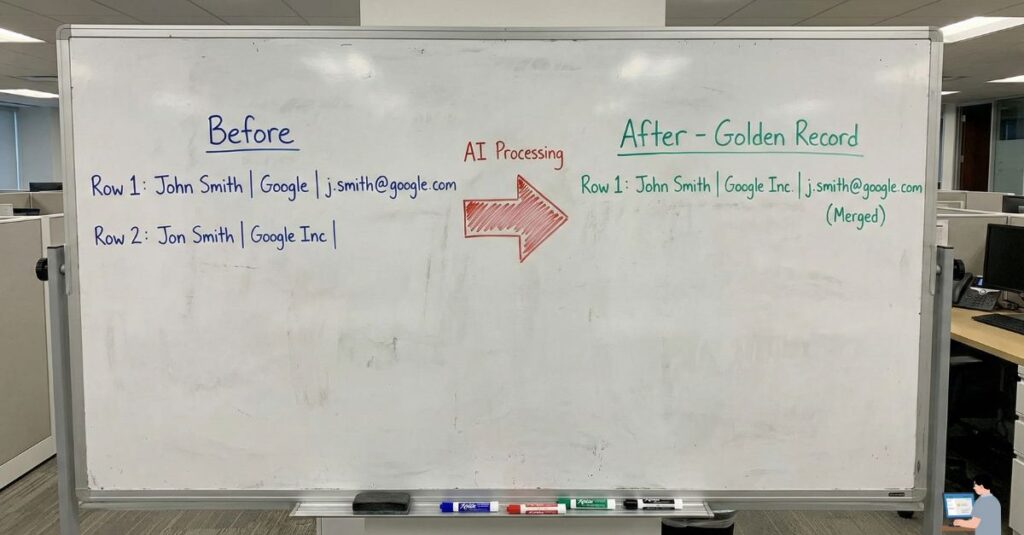
The Problem: You have “John Smith at Google” and “Jon Smith at Google Inc.” in your system. A standard search sees them as two different people. The AI Fix: AI uses Fuzzy Logic Algorithms. It calculates a “Similarity Score” (e.g., 94% match) based on context, not just spelling. It automatically merges them into one “Golden Record,” preserving the most recent phone number and email.
2. The “Ping” Verification
The Problem: You have an email mike@startup.com. Is it real? The AI Fix: Validation tools send a “Silent Ping” (SMTP Handshake) to the recipient’s mail server. If the server responds with “User Unknown,” the AI tags the lead as “Dead.” This protects your email sender reputation and ensures your marketing domain isn’t blacklisted.
3. The “Enrichment” Uplift
The Problem: You only have a first name and a generic email like mike123@gmail.com. The AI Fix: Data Enrichment APIs scan public, compliant databases (SEC Filings, LinkedIn, News). They take that generic email and return a full profile: Job Title: VP of Sales, Location: Austin, Company Revenue: $300M.
Phase 2: The Tool Shed (Best AI Tools for 2026)
Depending on your budget and infrastructure, here are the top-rated solutions for automated data hygiene:
For Enterprise (The Heavy Hitters)
- DemandTools: The gold standard for Salesforce users. It handles massive datasets and complex merge logic, ideal for large organizations with strict compliance standards.
- Informatica Cloud: A powerhouse for Cloud Data Management. It cleans data not just in your CRM, but across your entire IT stack (AWS, Azure, Google Cloud).
For SMBs (Agile & Fast)
- Insycle: A favorite for HubSpot and Intercom users. It allows you to “bulk fix” capitalization errors (changing “jOhN” to “John”) and schedule nightly automated cleanups.
- Zoho DataPrep: An affordable, AI-driven tool perfect for mid-sized businesses needing to clean lists before importing them into a marketing automation platform.
Free / Low Cost Options
- OpenRefine: (Formerly Google Refine). A powerful, open-source tool for messy data. It runs locally on your machine, ensuring data privacy.
- Chat-Based Cleaning: You can upload a CSV to ChatGPT Plus and use a prompt like: “Identify duplicates based on the ‘Email’ column and provide a clean downloadable CSV.”
Phase 3: The “DIY” Developer Corner (Python & Excel)
For the technical marketers asking for “data cleaning scripts,” here is a compliant, safe way to clean your own lists.
1. The Python (Pandas) Method
If you are a data analyst, use this simple Python block to sanitize a “Dirty Dataset” before uploading it to your cloud storage.
Python
import pandas as pd

# Load your dirty CSV
df = pd.read_csv('dirty_leads.csv')

# 1. Remove Duplicates (Keep the first occurrence)
df = df.drop_duplicates(subset=['Email'], keep='first')

# 2. Fill Missing Values (Replace empty names with 'Unknown')
df['First Name'] = df['First Name'].fillna('Unknown')

# 3. Standardize Text (Make emails lowercase to avoid duplicates)
df['Email'] = df['Email'].str.lower().str.strip()

# Save the clean file
df.to_csv('clean_leads_shielded.csv', index=False)
2. The Excel Method (No Code)
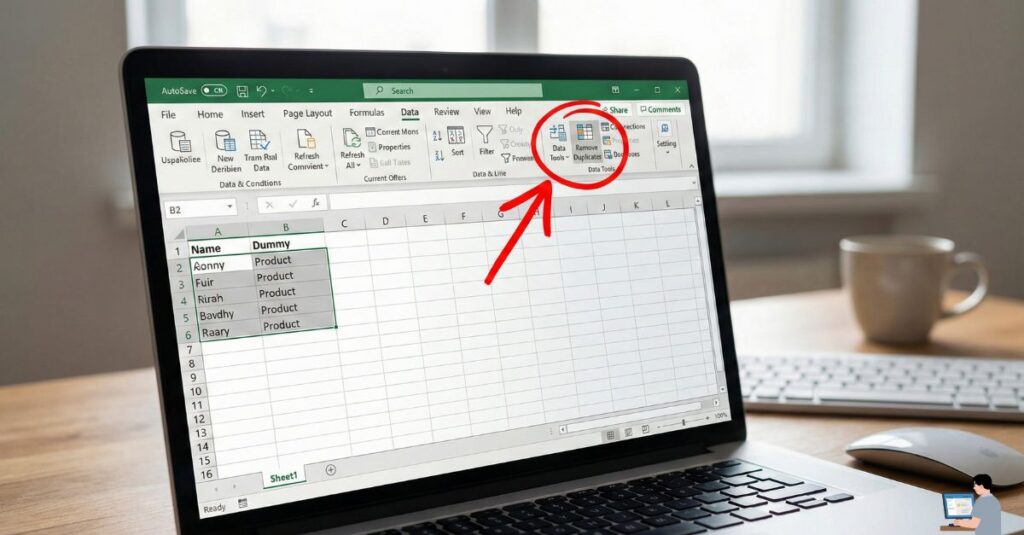
- Remove Duplicates: Go to Data Tab > Remove Duplicates. Select the column that must be unique (usually Email).
- Trim Spaces: Use the formula
=TRIM(A2)to remove those invisible “trailing spaces” that cause sync errors in marketing software. - Proper Case: Use
=PROPER(A2)to turn “mIkE” into “Mike,” ensuring your automated emails look professional.
Phase 4: Expert FAQ (Solving Real Pain Points)
Q: How do I handle “Legacy Data” from old servers?
A: Apply the “Sunset Policy.” If a contact hasn’t opened an email in 12 months and hasn’t purchased in 24 months, archive them to a separate cloud backup. Do not delete them (for tax and audit reasons), but remove them from your active CRM to save on licensing costs.
Q: How do I delete sensitive files securely?
A: For GDPR and CCPA compliance, simply hitting “Delete” isn’t enough. Use a file shredder tool that overwrites the data sectors. This ensures client lists cannot be recovered, protecting your business from data breaches.
Q: Where can I practice data cleaning?
A: Visit Kaggle and search for the “Titanic Dataset” or “Housing Prices.” These are famous “messy” datasets perfect for honing your skills before you touch your company’s live revenue data.
Bonus Strategy: The “Video Outreach” Scale
You cleaned your data. Now, how do you use it? Don’t just send a text email. Use AI Video Personalization.
The Tool: Platforms like HeyGen or BHuman. The Strategy:
- Record one video of yourself saying: “Hi [Name], I noticed you work at [Company] and I have an idea for you.”
- Upload your clean, verified CSV list.
- The AI will clone your lip movements to generate 1,000 unique videos.
The Result: “Hi Sarah, I noticed you work at Google…” / “Hi Mike, I noticed you work at Tesla…” Response rates for this method are typically 300% higher than standard email, turning your clean data into a high-performance asset.
Next Step: Your CRM is clean. Your sales team is ready. But are you hiring the right people? Read our guide on “The ‘Fake Employee’ Scam” to ensure your new remote hire isn’t a deepfake.