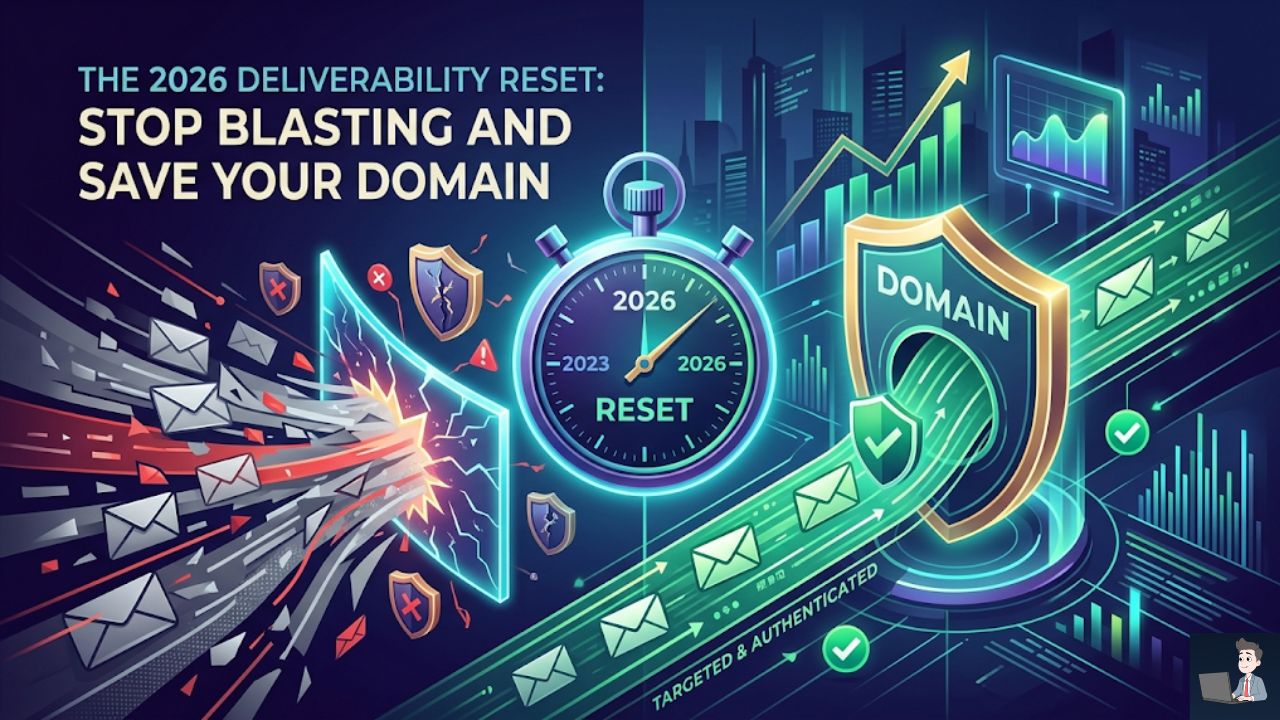
I remember the first time I discovered how easy it was to automate outreach.
I had just finished writing a custom Python script. I was using some promotional API credits from xAI to power the generation logic.
It felt like a superpower. The script could scrape thousands of leads, generate personalized intro lines, and blast them out while I slept.
I went to bed dreaming of a packed calendar and closed deals.
I didn’t wake up to sales. I woke up to a nightmare.
My inbox was flooded with angry replies. My open rates had cratered to 1%.
Then the real disaster hit: Google flagged my primary domain.
If you’ve worked tirelessly to build an AdSense-approved website like Profit Shield AI, getting your main domain blacklisted for “Spam” is catastrophic.
It doesn’t just kill your outreach. It tanks your organic search rankings, destroys your regular business email deliverability, and immediately chokes off your ad revenue.
In 2026, the era of the “Volume Trap” is officially over.
Google, Yahoo, and Microsoft have rolled out brutal enforcement rules.
If you try to blast your way to revenue, you will burn your business to the ground.
Here is exactly why mass cold email is failing today, the new deliverability laws you must follow, and how to actually use AI to generate revenue safely.
Phase 1: The 2026 Deliverability Reset (The Math of the Ban)
If you haven’t updated your outbound strategy recently, you are operating blindly.
The major inbox providers have structurally dismantled traditional cold email. They aren’t just looking at the words in your email anymore—they are looking at the math.
Once you send 5,000 emails in a single day, Google permanently classifies you as a “bulk sender.”
If you want to understand exactly how the major inbox providers have structurally dismantled traditional cold email algorithms for 2026, watch this deep-dive analysis by deliverability expert Taylor Haren.
1. The 0.3% Hard Ceiling
In the past, a high spam complaint rate just meant your emails went to the junk folder.
Today, a spam complaint rate of 0.3% triggers active filtering and domain rejection.
That is just 3 complaints for every 1,000 emails you send. Cross that line, and Google and Yahoo will actively block your domain from their servers.
The recommended safe zone is below 0.1%.
2. The 0.5% Bounce Cliff
Using old, scraped lists is now institutional suicide.
The acceptable bounce rate threshold is an unforgiving 0.5%. If more than 5 out of 1,000 emails bounce, your entire domain will be throttled.
You must run every single lead through a real-time validation tool (like NeverBounce or ZeroBounce) before you ever hit send.
3. The 14-Day Sandbox
Microsoft recently updated its defense models for Outlook and Office 365.
If you register a brand new domain and try to send cold emails before it is 14 days old, your account is instantly suspended.
You can no longer buy a domain on Monday and blast on Tuesday.
Phase 2: The “Domain Shield” Strategy
This is the single most important rule for anyone who relies on their website for income.
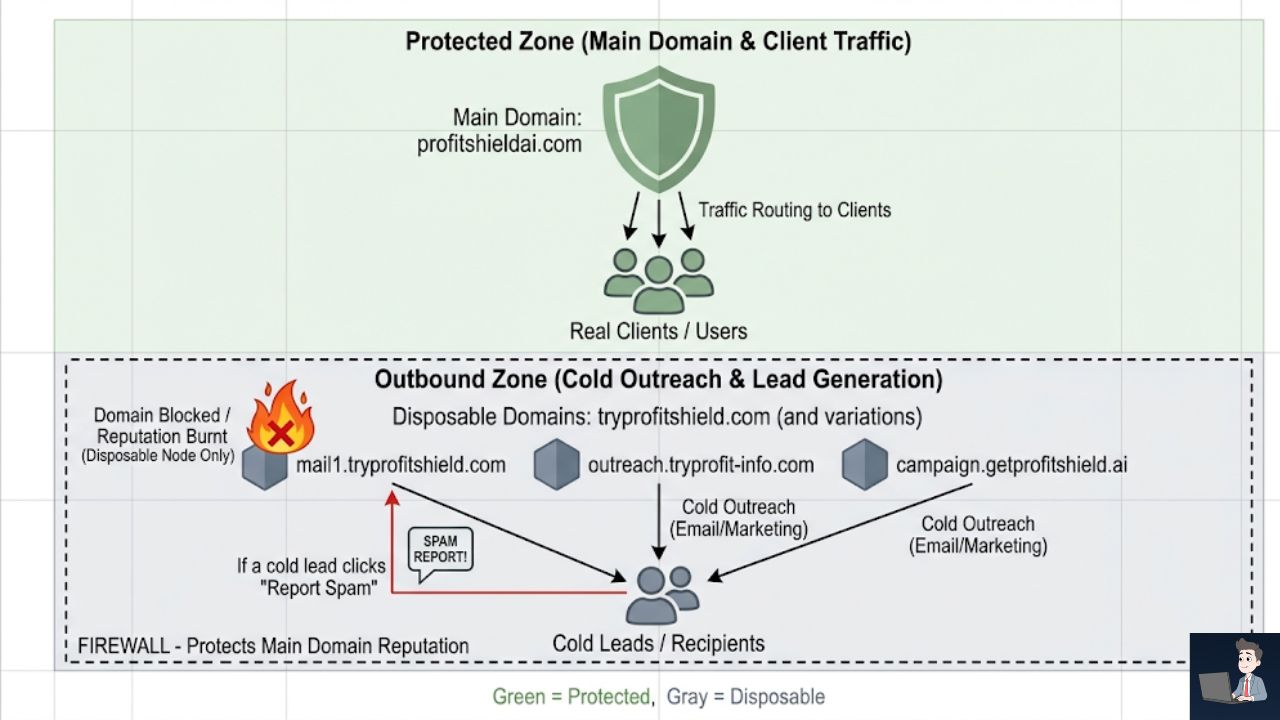
Never, under any circumstances, send cold outreach from your primary domain.
If you send bulk email from your main property and hit a spam trap, your legitimate operational emails (receipts, client updates, support replies) will start going to junk.
Your AdSense revenue will plummet as your search authority gets flagged.
The Fix: You must purchase secondary, “shadow” domains specifically for outbound sales.
If your main site is yourwebsite.com, buy tryyourwebsite.com or getyourwebsite.com.
- Warm it up: Connect it to an automated warmup tool for 4 to 6 weeks, starting with just 5 emails a day.
- Authenticate perfectly: You must properly configure your SPF, DKIM, and DMARC records. In 2026, strict DMARC alignment is absolutely mandatory for bulk senders.
- The Firewall: If this secondary domain gets burned by a strict spam filter, you just throw it away and buy a new one. Your main, monetized website remains completely insulated.
Phase 3: The Mandatory One-Click Unsubscribe (RFC 8058)
Putting an unsubscribe link in your footer is no longer enough.
As of the recent policy updates, bulk senders must implement a standardized, one-click unsubscribe mechanism in the email header.
This is known as RFC 8058.
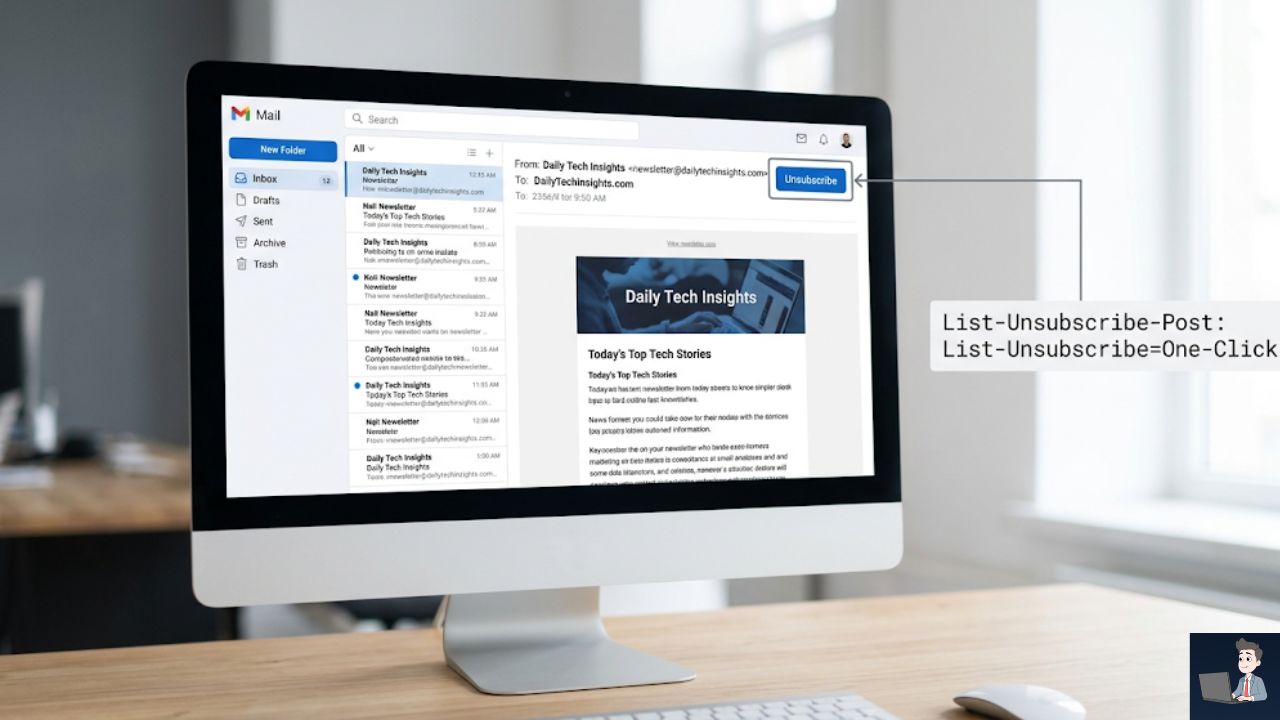
It requires two specific code headers (List-Unsubscribe and List-Unsubscribe-Post) that allow Gmail and Yahoo to display a native “Unsubscribe” button right at the top of the UI.
If you try to hide the opt-out, or force users through a multi-step landing page, the inbox providers will force your emails directly into spam.
Phase 4: How to Actually Write Emails in 2026
Human tolerance for generic, AI-generated fluff is currently at absolute zero.
If your email reads like a robot wrote a 5-paragraph essay, it gets deleted in a fraction of a second.
You don’t need AI to write 10,000 terrible emails. You need AI to research and help you write 50 highly profitable, sniper-targeted emails.
- The 80/20 Rule: 80% of your email must provide pure, unselfish value, an industry insight, or a relevant observation. Only 20% should be the actual ask.
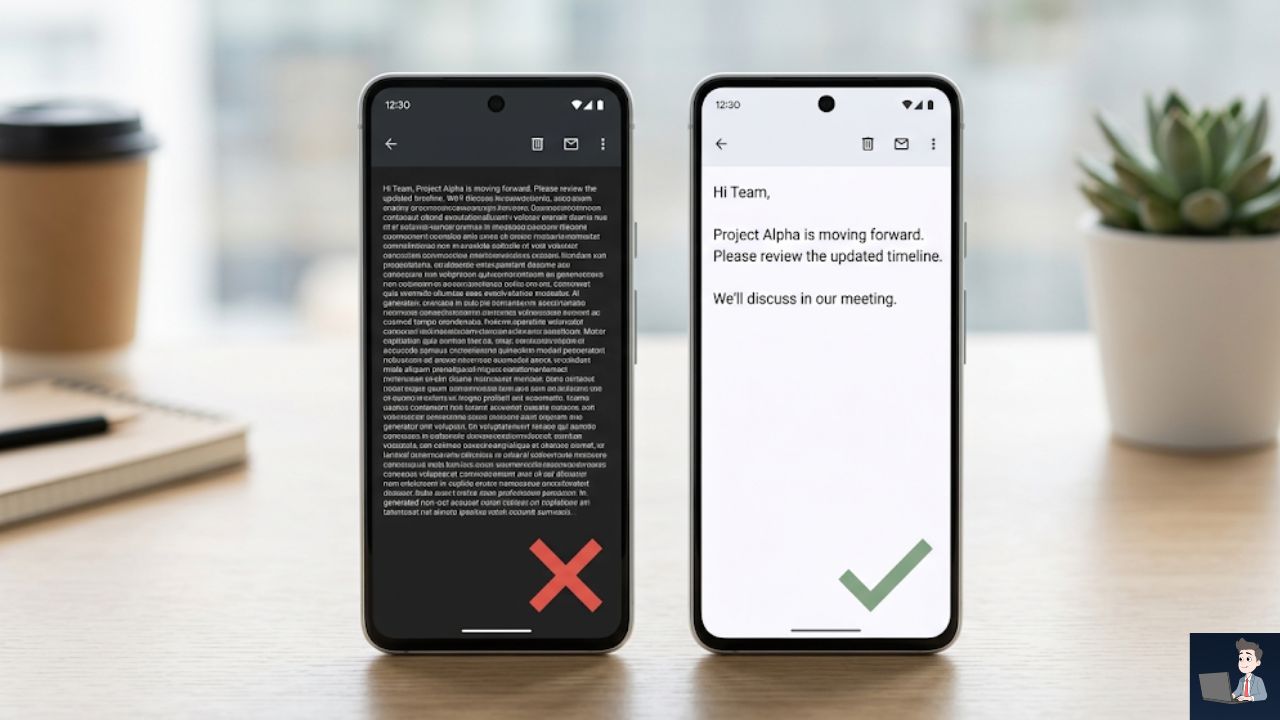
- The 60/40 Visual Ratio: Nobody wants to read a wall of text on a smartphone. Aim for 60% concise text and 40% white space. Keep your paragraphs to one or two sentences max.
Train Your AI to Be an Elite Copywriter
Instead of letting an AI hallucinate a generic pitch, process the data correctly.
You can train a private instance of a Large Language Model to act as a forensic researcher.
Safety Check: Never upload confidential client data, passwords, or PII into a public AI tool.
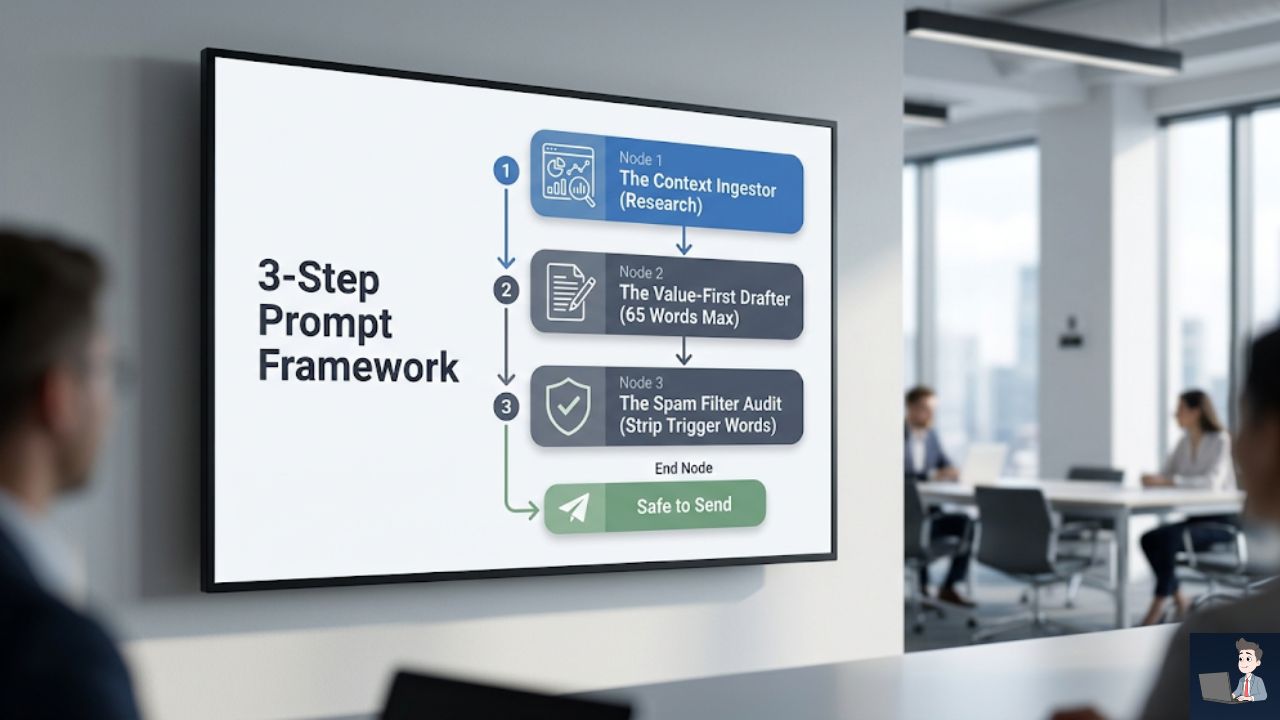
Use this exact, step-by-step prompt framework to generate outreach that actually gets replies.
Prompt 1: The “Context Ingestor”
Do not ask the AI to write the email yet. First, force it to understand the prospect.
“Act as an elite B2B sales copywriter. I am going to give you information about a prospect I want to email. Analyze their company profile, their recent news, and their likely operational pain points. Do not write the email yet. Just reply with a 3-bullet-point summary of the exact problem this person is currently facing that my specific service can solve. Here is the prospect data: [Insert Data Here].”
Prompt 2: The “Value-First” Drafter
Once the AI proves it understands the prospect’s problem, use this prompt to force a highly readable, non-spammy draft.
“Now, write a cold email to this prospect. You must strictly follow these rules: Keep it under 65 words total. Use a maximum of 3 very short paragraphs to ensure plenty of white space. Dedicate 80% of the email to an insightful observation about their specific problem based on your research. Make the call-to-action a soft, low-friction question. Do not use any corporate jargon or hype words.”
Prompt 3: The “Spam Filter” Audit
Before you hit send, force the AI to audit its own work against the 2026 filter logic.
“Act as a ruthless enterprise spam filter. Review the email you just wrote. Identify any words or phrases that commonly trigger Google or Microsoft spam algorithms (such as ‘Free’, ‘Guarantee’, ‘Act Now’, ‘$$$’, or overly aggressive sales language). If you find any, rewrite the sentence to sound completely natural, conversational, and safe for inbox delivery.”
The Bottom Line: Stop Blasting. Start Connecting.
When a prospect opens their inbox, they are scanning for threats, chores, and spam. They are exhausted by the noise.
If your email looks like it was manufactured by a tool blasting a million people at once, they will hit the “Report Spam” button.
Right now, just a handful of those clicks will destroy your infrastructure.
But if you use technology to do the heavy lifting of research, secure your DNS records, isolate your sending domains, and deliver a brief, highly relevant message, you become a breath of fresh air.
Protect your primary domain, respect the inbox, and focus on absolute relevance. Quality is no longer just a best practice; it is the only way to survive.