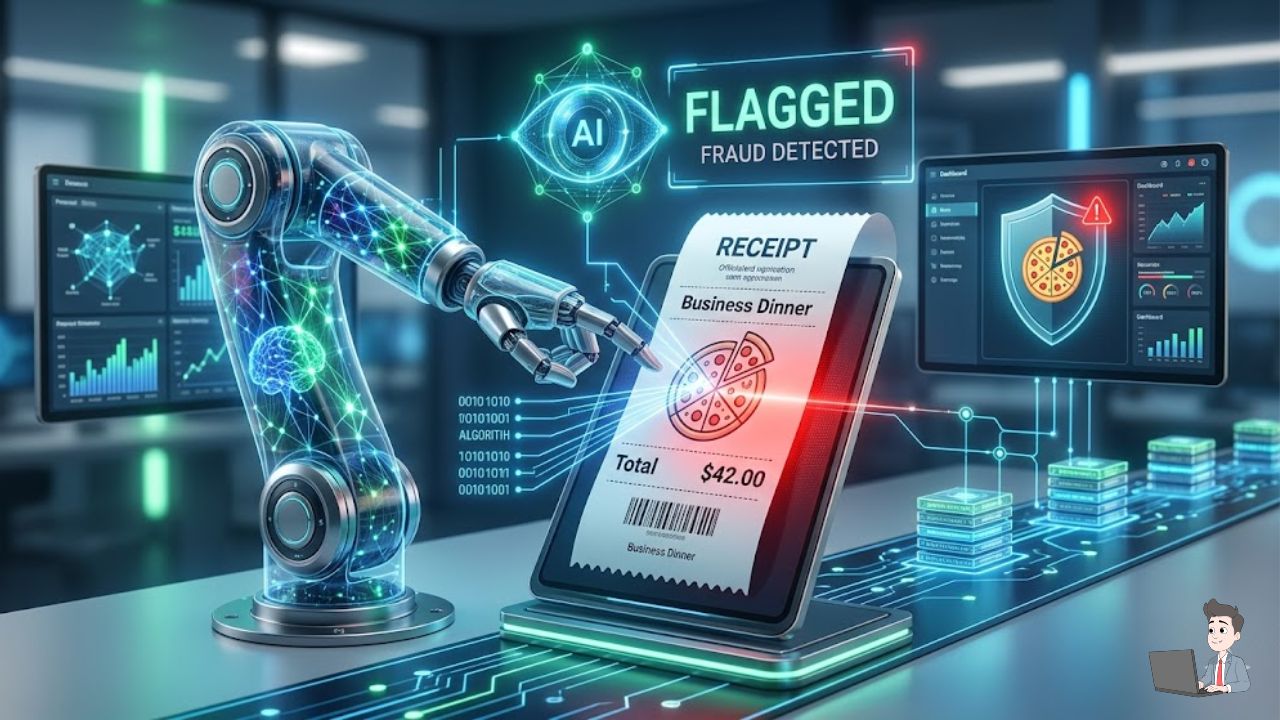
I’ll never forget the first time I caught a “stealth” overcharge.
I was running a small team, and one of my top performers submitted a $42.00 receipt for “Client Pizza.” It seemed completely harmless. Who is going to audit a pizza bill?
But I was testing out a new AI-driven optical character recognition (OCR) tool that morning, and it immediately flagged the receipt for a “Category Mismatch.” I dug into the file’s metadata.
It turned out that “Pizza Palace” was actually a high-end liquor store. The employee had used a free web tool to change the merchant name and the line items.
It wasn’t just about the $42. It was the terrifying realization: if he was doing this with pizza, what was happening with the $2,000 flight bookings or the $5,000 “office equipment” invoices?
In the corporate finance world, we call this “Death by a Thousand Cuts.”
Most business owners lose about 5% of their annual revenue to these “small” discrepancies. For a company doing $2 million, that is $100,000 a year just vanishing into thin air.
You don’t want to be the micromanager who asks for a blood sample for every Uber ride, but you also can’t afford to be a walk-over. Here is my hands-on blueprint for using AI to stop expense fraud before the money ever leaves your bank account.
Phase 1: The “Digital Fingerprint” (Beyond the Eyeball Test)
Most founders think of “auditing” as looking at a piece of paper to see if the math adds up. Fraudsters know this, and they have mastered “digital grooming.”
If someone edits a PDF receipt today, they are using specialized design tools to match fonts, replicate paper textures, and even add fake coffee stains. Your eyes will fail you. The AI won’t.
Metadata and the “Canva Trap” Every digital file has a soul called EXIF data. When an employee takes a photo of a real receipt, the metadata shows the smartphone camera model, the GPS coordinates, and the exact timestamp.
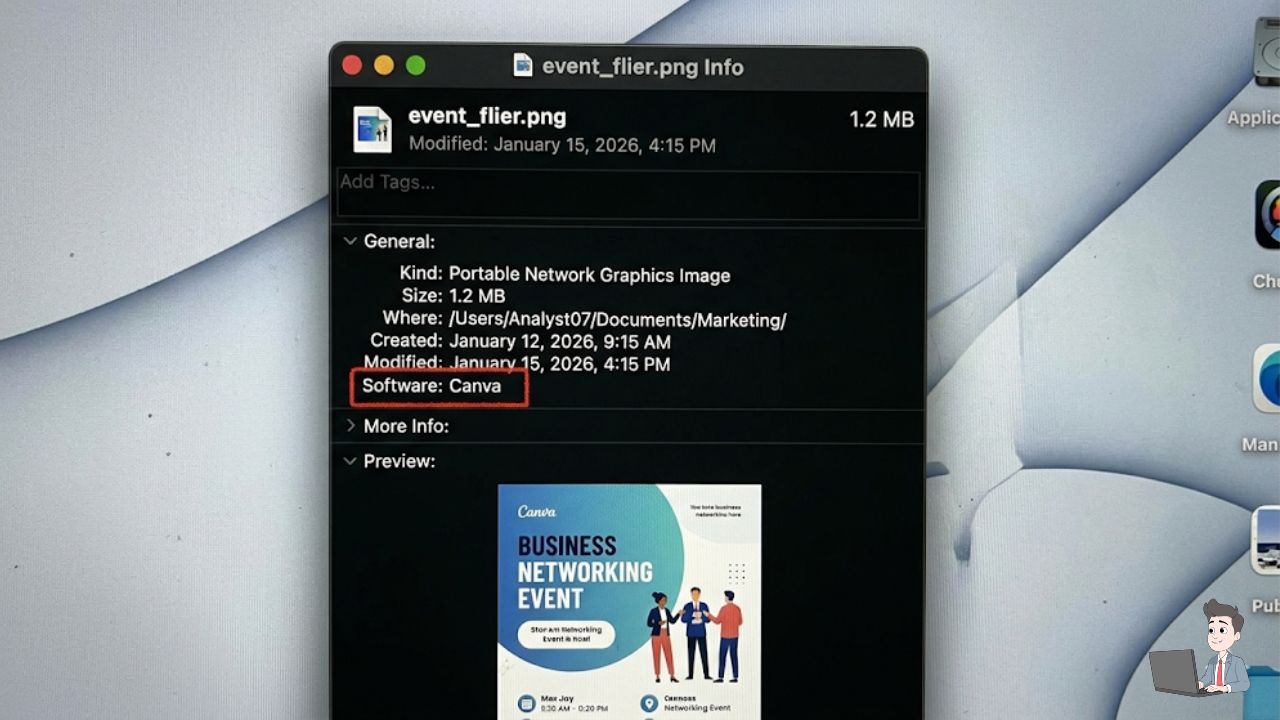
If they “edit” the receipt to change a $10 tip to a $110 tip, they have to run it through a PDF editor. When an AI auditor scans the file, it looks at the “Modified Date” and the “Software Source.”
If the receipt claims to be from a gas station, but the metadata says Source: Canva or Adobe Photoshop, the AI flags it instantly. The system simply rejects the upload and requests the “original, unedited photo.”
Pixel-Level Consistency (OCR 2.0) Advanced AI tools utilize “Pixel Density Analysis.” When you type a “5” on a keyboard, it has a specific digital footprint.
If a fraudster pastes a “5” over a “0” on a scanned receipt, the pixels around that number will be slightly altered—even if they look identical to the human eye. The AI acts as a digital magnifying glass, catching the forgery in milliseconds.
Phase 2: Behavioral “Social Engineering” Guardrails
The most common fraud isn’t a fake receipt; it is a mischaracterized receipt. This is a real bill for a real thing, but it wasn’t for work.
Humans are predictable, and fraudsters follow patterns. Here is how I set my automated “Bouncers” to catch these behaviors:
The “Weekend Protocol” If an employee submits a $150 dinner from a Saturday night at 9:00 PM, my AI automatically cross-references their corporate calendar.
- The Logic: If there was no “Client Dinner” event on the calendar for that Saturday, the AI flags it.
- The Result: The employee gets an automated message: “This expense occurred outside business hours with no corresponding calendar event. Please provide the client attendee names.”
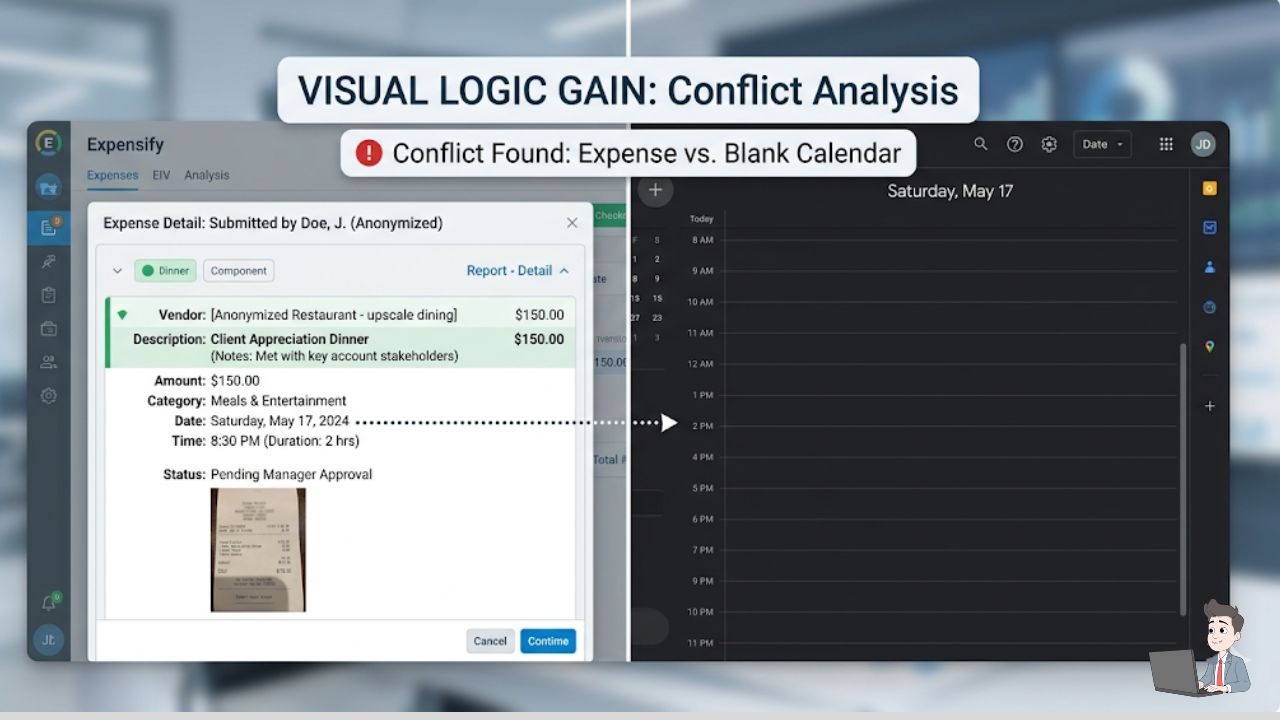
In 90% of cases, the employee suddenly “realizes” their mistake and withdraws the claim.
The Alcohol-to-Food Ratio (Level 3 Data) Traditional credit card statements only show “Level 1” data—the merchant name and total. That is useless for auditing.
I use tools that pull Level 3 Data, which extracts the actual line items. If the AI reads a receipt and sees “4x Grey Goose” and “1x Side Salad,” it flags a policy violation. Most companies allow for a drink with dinner, but a Friday night bar tab cannot be labeled as “Strategic Team Bonding.”
Phase 3: Catching the “Phantom Vendor” Heist
While the $50 dinner is annoying, the “Phantom Vendor” is what destroys profit margins.
This happens when an employee sets up a fake company (e.g., “Global Consulting LLC”) and submits a $4,000 invoice for “Professional Services.” Because there is no physical receipt, these are incredibly hard to catch.
The API Defense Strategy You don’t need expensive software for this. I have set up a lightweight Python automation script (running directly from my local downloads folder) that pulls the vendor data and runs an Entity Existence Check.
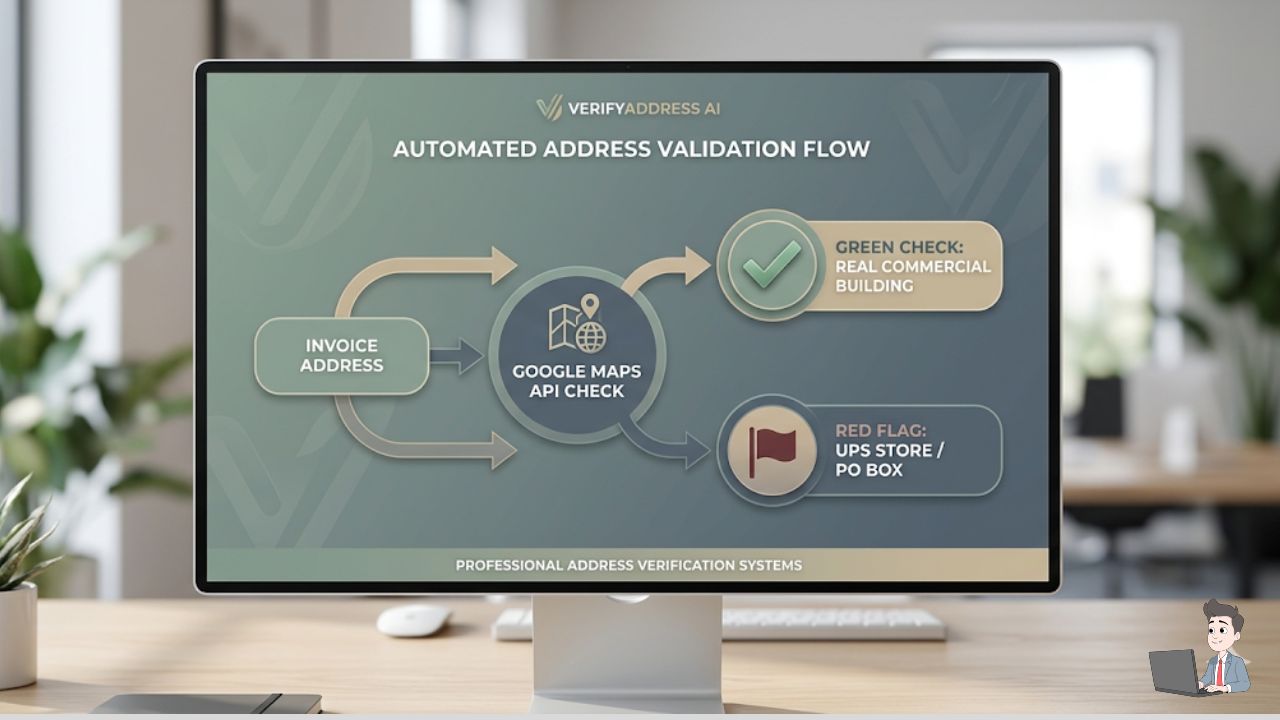
- The Address Audit: The script takes the address on the invoice and pings the Google Maps API. If the “Corporate Office” is actually a UPS Store PO Box or a residential apartment complex, the payment is frozen.
- The Web Scraping Check: I wire the script through a search API, like You.com, to scan the web for the vendor’s digital footprint. If a $5,000-a-month consultant has no website, zero LinkedIn presence, and cannot be found in state business registries, the AI flags a “Critical Relationship Risk.”
The Free “Forensic Auditor” Prompt
If you are a smaller agency and want to audit manually, you can use a secure, private instance of a Large Language Model (LLM) to act as your forensic accountant.
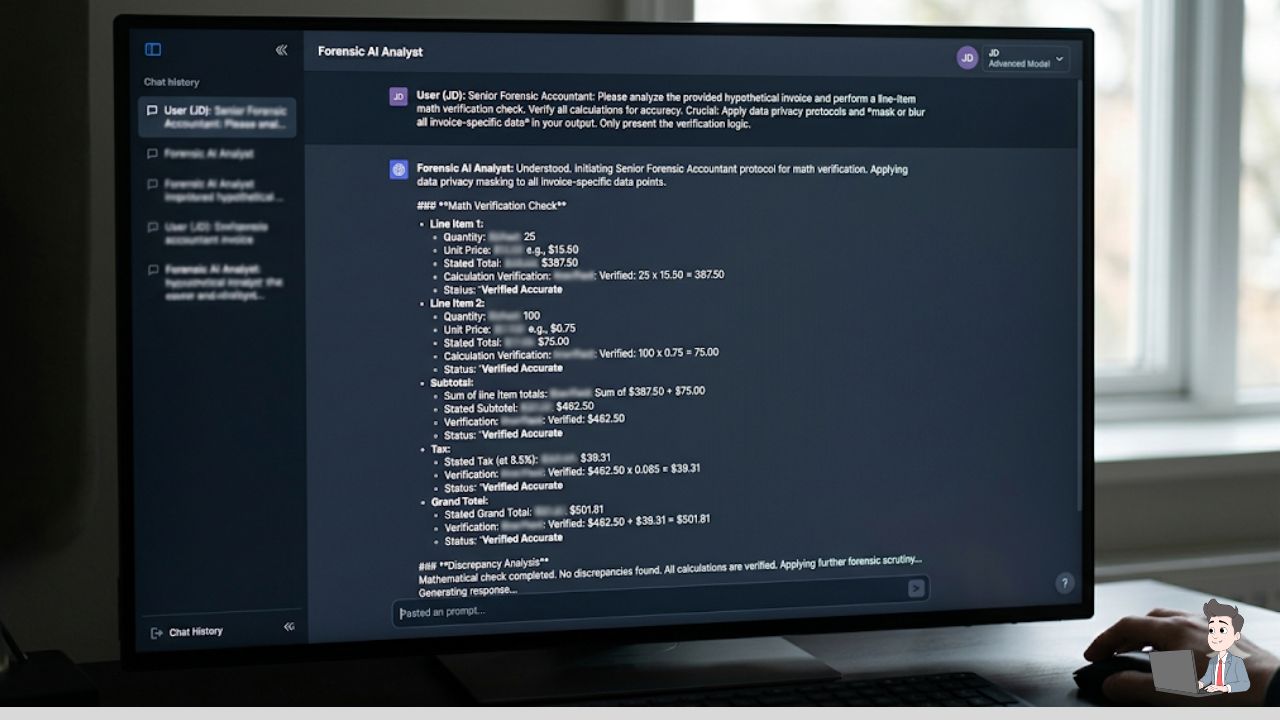
(Note: Ensure your LLM environment is private and does not train on your data. Redact personal names before uploading).
Copy and Paste this Exact Prompt:
“You are a Senior Forensic Accountant. I am providing text extracted from a suspicious invoice. I need you to do the following: 1) Re-calculate every line item plus tax. Does it match the total exactly? 2) Search for ‘Round Number’ bias (e.g., are all totals unusually even like $200.00?). 3) Verify Date Logic: Does the invoice number sequence match the chronological date? 4) Analyze the terminology for vague, non-industry-standard phrasing.”
I once caught a ghost invoice because the AI noticed that Invoice #1002 was dated a week before Invoice #1001. The fraudster had typed them out manually and lost track of the sequence.
If you want to take this a step further than manual prompting, watch this incredibly detailed 21-minute technical tutorial on how to use Document Intelligence and a Python script to build your own automated receipt scanner from scratch.
Creating a Culture of “Invisible Guardrails”
The goal isn’t to be a corporate cop. The goal is to create a culture where committing fraud is simply too much work.
When your team knows that every receipt is automatically cross-referenced with their calendar, CRM notes, and file metadata, they don’t even try to fudge the numbers.
By using AI to handle the detective work, you get to stay the “Good Guy.” You can honestly say, “Hey, the system flagged this for a metadata mismatch—could you just send over the original photo so I can clear it?”
It shifts the blame to the technology, preserves your relationship with your top performers, and keeps your revenue exactly where it belongs: in your business.
Financial Disclaimer: The strategies discussed in this article are for informational and educational purposes only and are based on the author’s personal experience with workflow automation. This does not constitute certified accounting or legal advice. Always consult with a CPA or financial controller before overhauling your corporate expense policies or deploying automated payment systems.
About the Author: Olivia is a digital workflow specialist and the founder of Profit Shield AI. She builds Python-based automation engines and AI auditing tools to help businesses eliminate operational bloat, secure their backend data, and protect their profit margins.