I remember staring at my screen last November.
I felt a familiar mix of exhaustion and hope.
I had just spent three days drafting a massive, $40,000 custom proposal for a mid-market tech company.
The discovery calls were flawless. The stakeholder alignment felt perfect.
I exported the PDF, wrote a highly personalized email, hit “Send,” and leaned back in my chair.
This is the one, I thought.
Monday passed. Silence.
Tuesday arrived, so I sent the classic, cringe-inducing “Just bubbling this to the top of your inbox!” email.
Wednesday passed. Total radio silence.
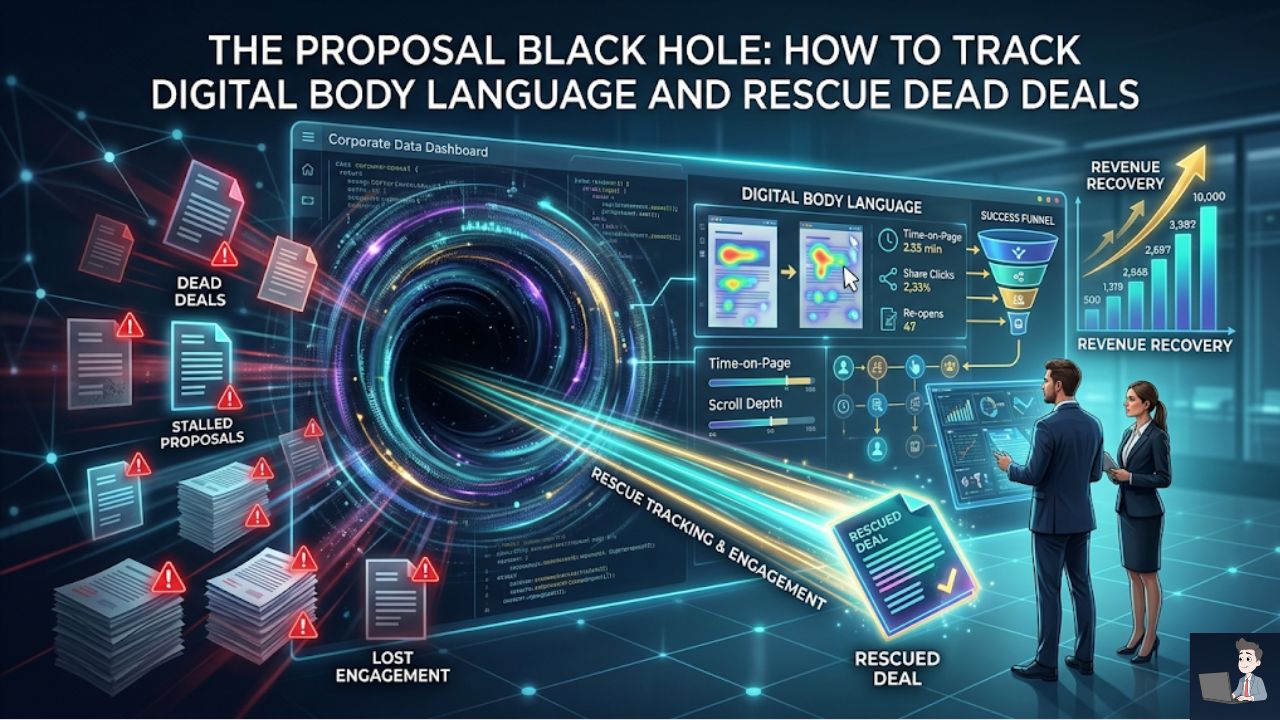
I had officially entered the Proposal Black Hole. The client hadn’t said “No,” but they certainly weren’t saying “Yes.” They had just vanished into the ether.
I left the deal marked as “Pending” in my CRM, but deep down, my stomach was in knots.
The absolute worst part of sales isn’t losing a deal. It’s the emotional limbo of not knowing you’ve already lost it.
You waste weeks of mental energy chasing a ghost. You forecast money that isn’t coming. You ignore fresh leads because you are stuck waiting on an email that will never arrive.
A few years ago, I decided I was done flying blind.
I completely changed how I send and track deals by leaning heavily into Deal Room analytics and proposal tracking.
If you are still sending flat PDFs as email attachments in 2026, you are leaving your revenue up to pure guesswork.
Here is exactly how I use “Digital Body Language” and modern tracking software to see what happens after I hit send—and how you can use it to spot dead deals instantly.
Phase 1: The “Attachment” Trap (Why PDFs are Dead)
Let’s get one thing straight.
Attaching a PDF to an email is the single fastest way to lose control of your sales cycle.
When you send a PDF, your visibility drops to absolute zero.
You don’t know if they opened it. You don’t know if it got stuck in a spam filter. You have no idea if they forwarded it to a competitor to price-match you.
You are completely in the dark.
I shifted my entire workflow to web-based, interactive proposals using tools like PandaDoc, SendNow, and Qwilr.
Instead of an attachment, the client gets a secure, trackable web link.
The moment they click that link, the lights turn on in the Black Hole. The software tracks every single micro-interaction, giving me a real-time dashboard of exactly what the prospect is doing.
We often lie to ourselves in sales. We say, “They are probably just busy with quarter-end.”
The data does not lie.
If you send a tracking link and they haven’t clicked it within 48 hours of receipt, the statistical probability of that deal closing drops by more than 50%.
In the modern economy, urgency equals value. If they aren’t reading it, they aren’t prioritizing it.
Phase 2: Reading the “Digital Body Language”
Having the tracking tool is great, but you have to know how to read the signals.
Sales intelligence platforms look for very specific engagement metrics to calculate a “Deal Health Score.”
Here are the three specific metrics I look for the second a proposal goes out:
If you want to understand exactly how buyers interact with modern deal rooms, watch this research breakdown by Storydoc. They analyzed over 1.3 million B2B proposal sessions to map exactly where buyers focus their attention and where deals fall apart.
Here are the three specific metrics I look for the second a proposal goes out:
1. Page-by-Page Dwell Time (The “Pricing Hover”)
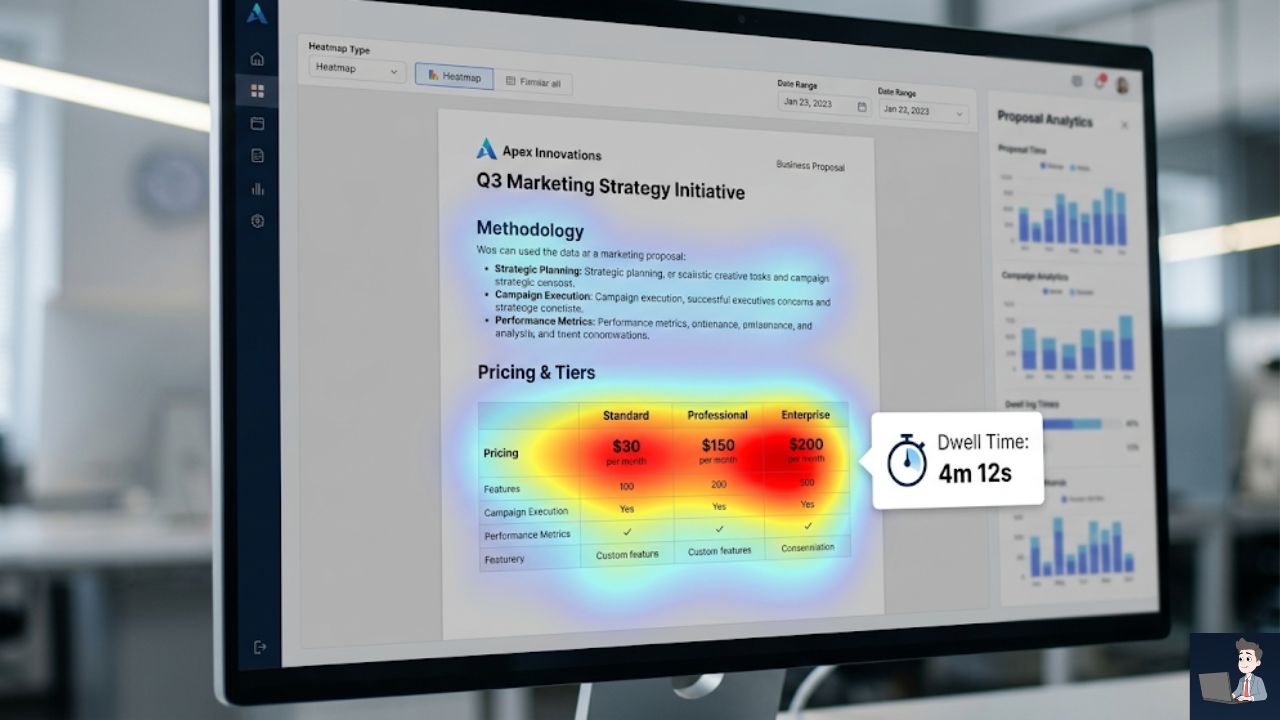
If you send a 10-page proposal, the tracking software shows you exactly how many seconds the client spent on each page.
If they spent 30 seconds skimming your “Methodology” section but spent 4 straight minutes staring at the “Pricing & Tiers” page, you know exactly what is on their mind.
It indicates high intent, but also deep budget consideration.
When I call them to follow up, I don’t ask, “Did you read the proposal?”
I say, “I want to make sure the pricing structure makes sense for your current budget cycle—did you have any questions on the middle tier?”
2. The “Waterfall” Signal (Multi-Threading)
Deals rarely die because your main contact (your “Champion”) didn’t like your pitch.
They die because your Champion forwarded the PDF to the VP of Finance or the Legal team, and those hidden stakeholders killed the deal behind closed doors.
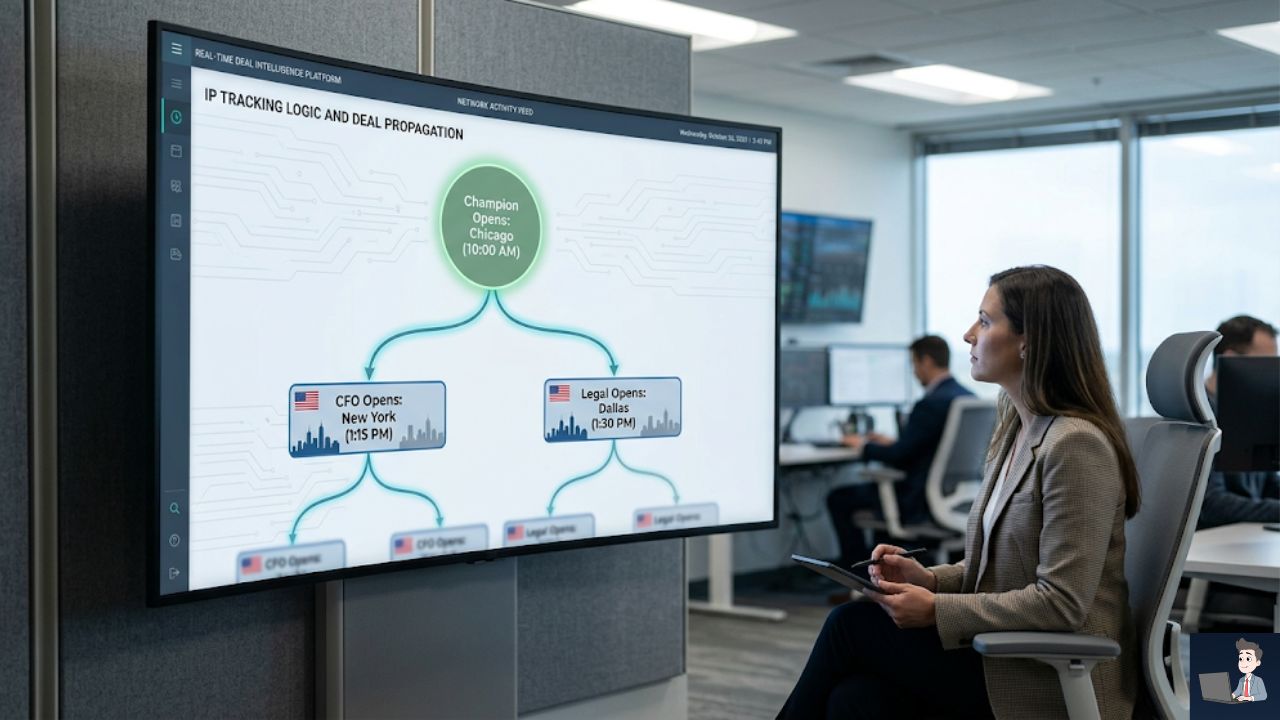
When you use a secure tracking link, the software logs IP addresses and device types.
- The Signal: If I see my proposal link gets opened in Chicago (where my Champion lives), and then two hours later it gets opened simultaneously by an IP in New York and an IP in Dallas, I have a massive buying signal.
- The Translation: My Champion just forwarded the document to the executive buying committee.
Recent data shows that single-threaded deals (only one person looking at the proposal) close at a miserable 14%. When you get three or more stakeholders looking at the document, your close rate jumps to 30%.
Tracking software reveals those hidden stakeholders so you can engage them directly.
3. The “Ghost Open”
This is the signal that hurts, but it is the most valuable one to see.
Did the client open the link, scroll to the bottom page in 10 seconds, and immediately close the tab?
That is a definitive “Dead Deal” signal. They went straight to the price, got sticker shock, and bounced.
Knowing this instantly allows me to stop holding my breath. I can either archive the deal or immediately send a heavily modified down-sell offer.
Phase 3: The “Trojan Horse” Strategy (Interactive Pricing)
One of my favorite tactics to use right now is replacing static pricing tables with interactive elements.
If you send a proposal that says, “The cost is $15,000,” it is a take-it-or-leave-it proposition.
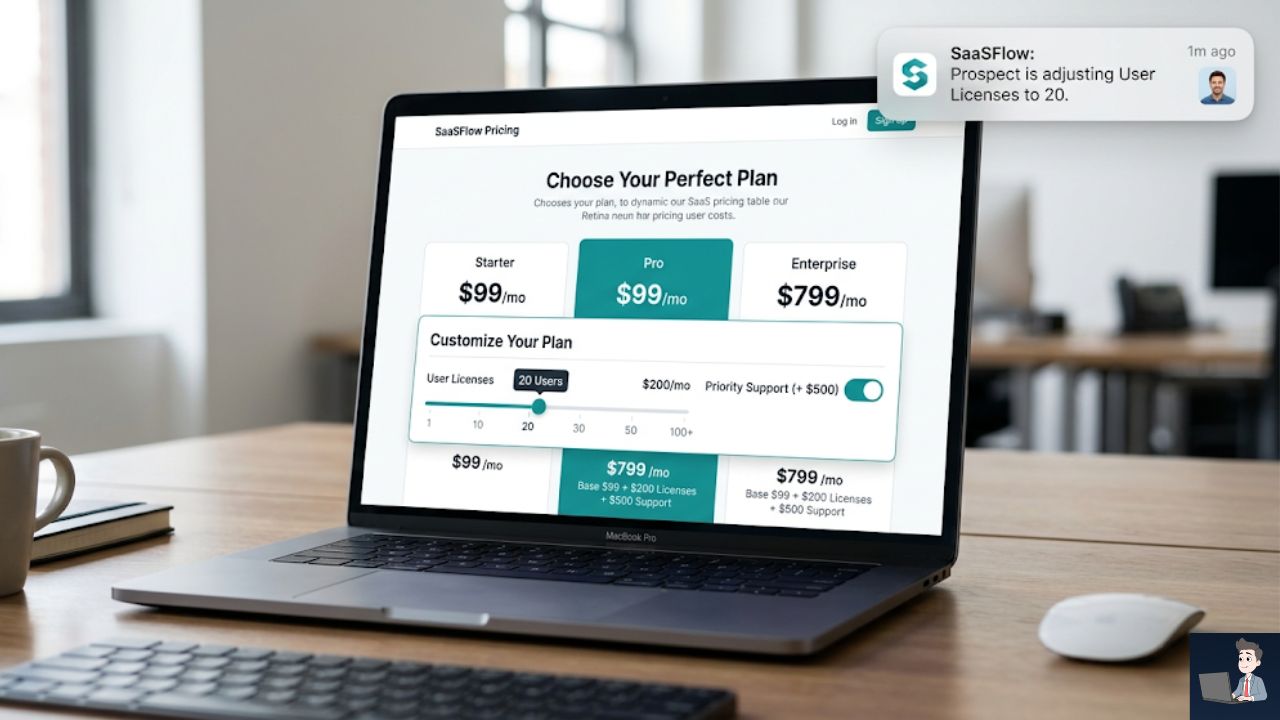
Instead, I build my proposals as dynamic landing pages. Inside the pricing section, I include interactive toggles and sliders.
- Toggle: “Include 24/7 Priority Support (+ $500/mo)”
- Slider: “Adjust the number of user licenses.”
Why this works like magic: It forces the client to physically interact with the document to see their final price.
Because the software tracks every click, I get a notification on my phone showing me exactly what they are doing.
If I see the client repeatedly toggling the “Priority Support” button on and off, I know exactly what they are debating internally.
If I see them sliding the user count down from 50 to 20 to fit a budget, I know they are extremely price-sensitive before I ever get on the follow-up call.
I can enter the negotiation phase with perfect visibility into their pain points.
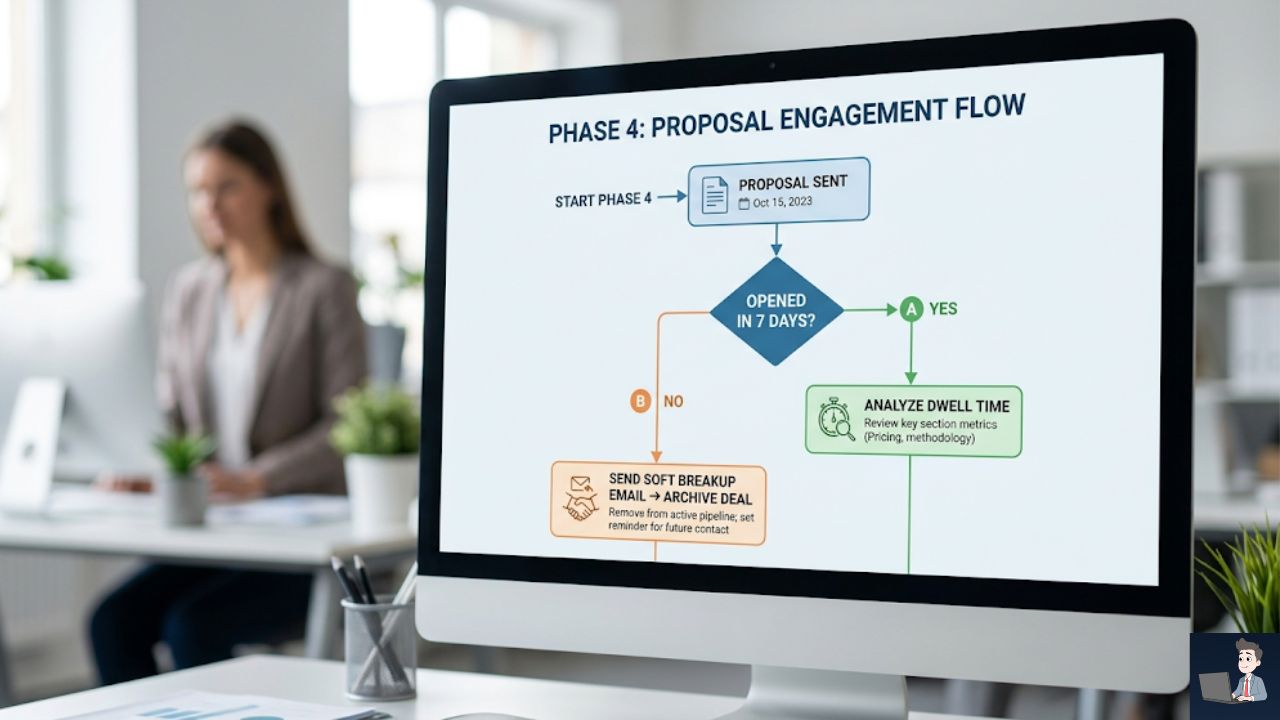
Phase 4: The “Save” Workflow (When to Walk Away)
The most expensive thing in your CRM is not a “No.” It is a “Maybe.”
A “Maybe” drains your mental energy. It bloats your revenue forecasting, causing you to tell your team you have $100,000 in the pipeline when $60,000 of it is just “Ghost Money.”
Worst of all, every minute you spend writing customized follow-up emails to a ghost is a minute you aren’t spending prospecting for a real buyer.
I use a strict, data-driven workflow to clean my pipeline:
- The “Lazarus” Effect: Sometimes, a deal from six months ago suddenly wakes up. My tracking software will ping me: “John Smith just opened the Q3 Proposal.” That is my cue to strike immediately. I don’t say I saw them looking; I just send a highly relevant value-add: “Hey John, we just updated the exact feature we talked about last year. Thought of you!”
- The Ruthless Archive: If my proposal tracking shows zero opens after 7 days, and my Champion hasn’t replied to two follow-ups, I execute a “Soft Breakup” email. “Hey John, usually when communication stops at this stage, priorities have shifted. Do I have your permission to close this file?” If they don’t reply to that, the deal is archived.
Phase 5: Common Mistakes That Kill Proposals Before They Open
I have watched dozens of sales teams sabotage their own proposals without realizing it. Here is what you need to avoid:
- Proposing Before Discovery is Done: The biggest mistake you can make is sending a proposal just because the client asked for a price. If you cannot explicitly write out the client’s core business problem and how your tool solves it in the Executive Summary, you are not ready to send a proposal. You are just sending a brochure.
- The “Just Checking In” Follow-Up: Never use those words. When you follow up based on tracking data, add value. If you saw them staring at the security section of the proposal, your follow-up email should be: “Hey, I know data compliance is a massive priority for your team—here is a quick one-pager from our CTO on our encryption standards.”
- Ignoring the Legal/Procurement Phase: If you see the proposal being opened heavily but the “Business Terms” section is ignored while the “Terms and Conditions” section is being highlighted, you are officially in the Procurement phase. Stop selling the value of the product and start aligning with their legal team.
The Fortune is in the Visibility
The “Proposal Black Hole” only exists because we allow ourselves to be blinded by outdated technology.
When you shift from sending flat attachments to using dynamic, trackable deal rooms, you completely change the power dynamic of the sale.
You stop begging for attention and wondering what the client is thinking.
You see exactly when they read it. You see exactly who they forward it to. You see exactly what they care about.
Don’t let a silent prospect determine your self-worth or ruin your weekend.
Let the software track the document, ruthlessly clear out the dead weight in your pipeline, and focus your brilliant human energy on the buyers who are actually ready to sign.