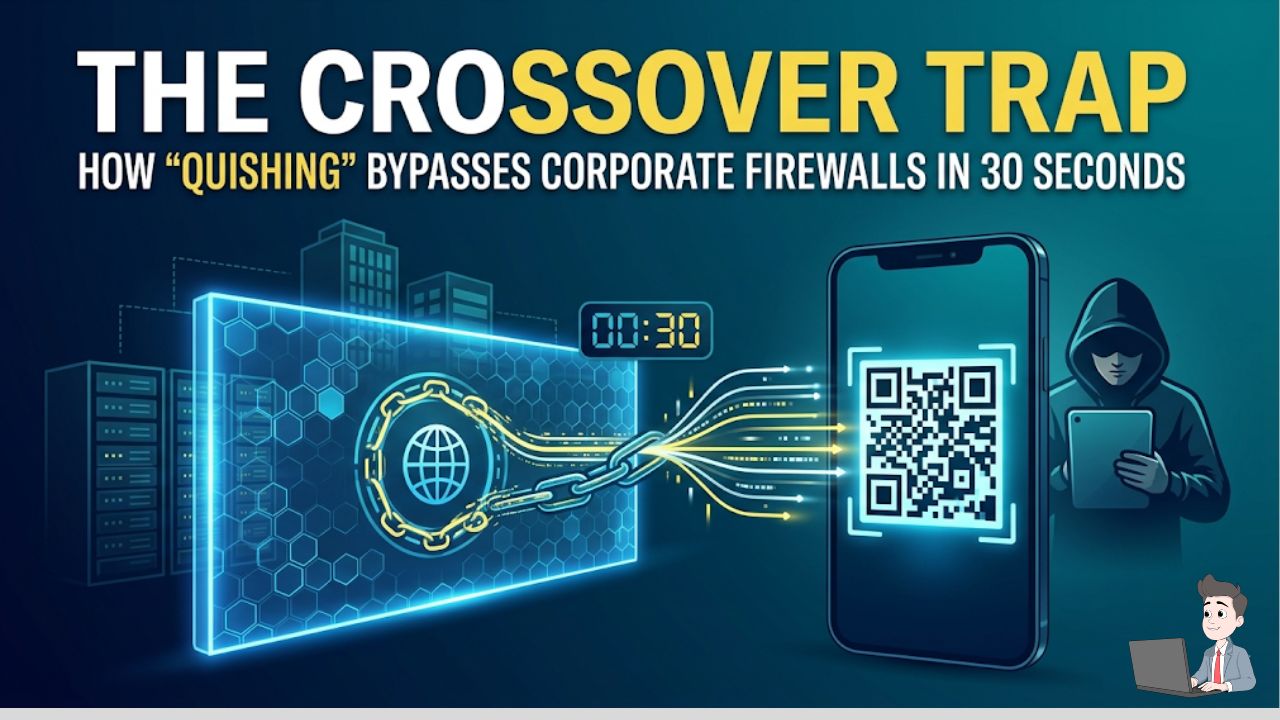
I was auditing a mid-sized logistics company last month when I watched a million-dollar corporate security perimeter get completely dismantled by a piece of plastic in less than 30 seconds.
The attack didn’t involve a zero-day exploit or a team of elite international hackers typing furiously in a dark room. It started with an email that looked like an internal HR memo: “Mandatory 2026 Benefits Enrollment – Scan to Authenticate.” Attached was a clean, professional-looking QR code.
Because the email contained no suspicious text links, the company’s expensive legacy firewall let it slide right into the CFO’s inbox.
The CFO, sitting at his highly secured corporate laptop, pulled out his personal iPhone to scan the code. He looked at the fake Microsoft 365 login page on his mobile screen, typed in his credentials, and approved the two-factor authentication (2FA) prompt.
Just like that, the attackers had his session token. They bypassed the corporate network, the VPN, and the endpoint security by forcing the executive to jump the gap to his unmanaged personal device.
Welcome to the absolute nightmare that is “Quishing” (QR Code Phishing). If you are running a business, managing a team, or just trying to exist online, this is currently the fastest-growing vector for identity theft and credential harvesting.
Phase 1: The “Crossover” Blind Spot
To understand why Quishing is so devastating, you have to understand why old-school security fails against it.
Traditional Secure Email Gateways (SEGs) are essentially digital librarians. They read text. They look for words like “Wire Transfer,” or they scan HTML for hidden hyperlinks leading to known bad domains. But a QR code is an image file (usually a PNG or a JPEG). To a legacy firewall, a malicious QR code looks exactly the same as a company logo in an email signature. The firewall scans it, sees no malicious text, and delivers the email.
The Crossover Execution
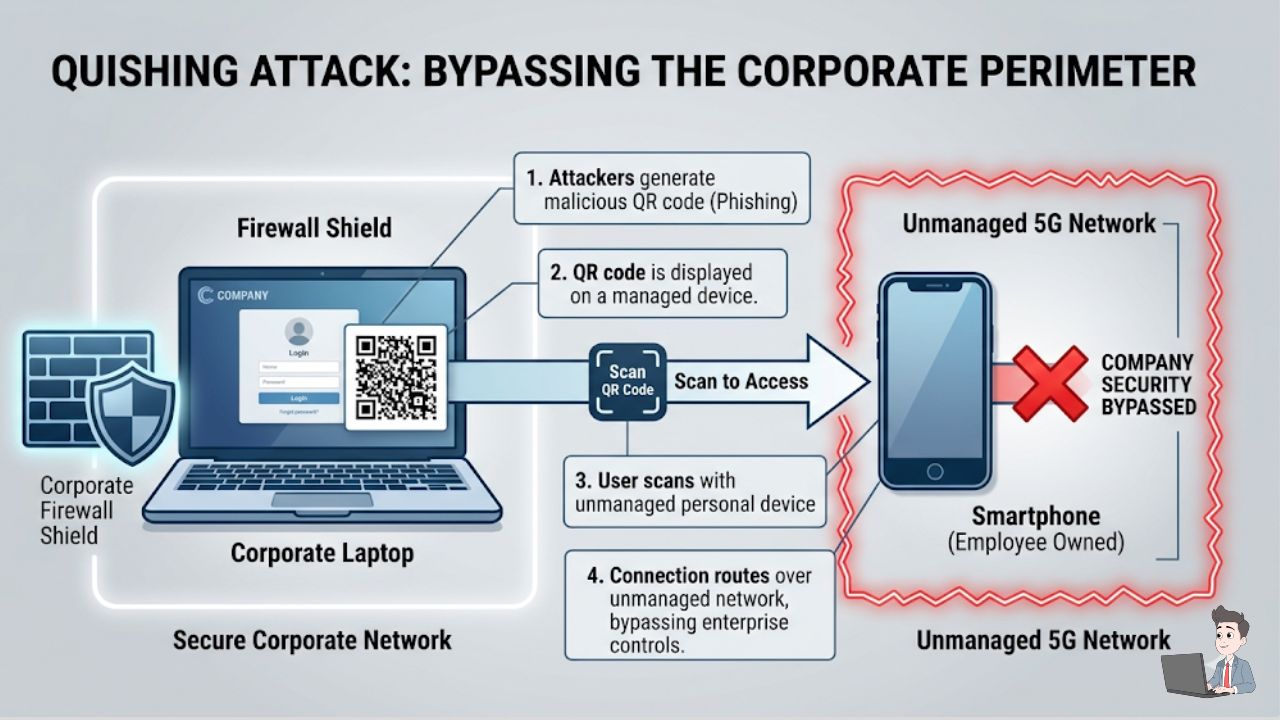
When you scan that code with your phone, the interaction immediately leaves your company’s secured Wi-Fi and jumps to your mobile carrier’s 5G network.
You are now outside the castle walls. You don’t have corporate DNS filtering, web proxies, or endpoint protection looking over your shoulder. You are on an unmanaged mobile browser, standing face-to-face with a hyper-realistic fake login screen.
Recent data shows the average “time-to-click” on these payloads is just 21 seconds. That is how fast you can lose your entire digital identity.
Watch this technical demonstration by a Palo Alto Networks engineer illustrating exactly how the “Crossover” attack works, blinding corporate firewalls by shifting the breach to a personal mobile device, and how deep learning AI stops it.
Phase 2: The Hacker Playbook (Advanced Tactics)
The criminal syndicates running Phishing-as-a-Service (PaaS) platforms are already developing sophisticated ways to break standard image scanners. Here is what is happening in the wild:
1. The “Split-Image” Hack (QR Splitting)
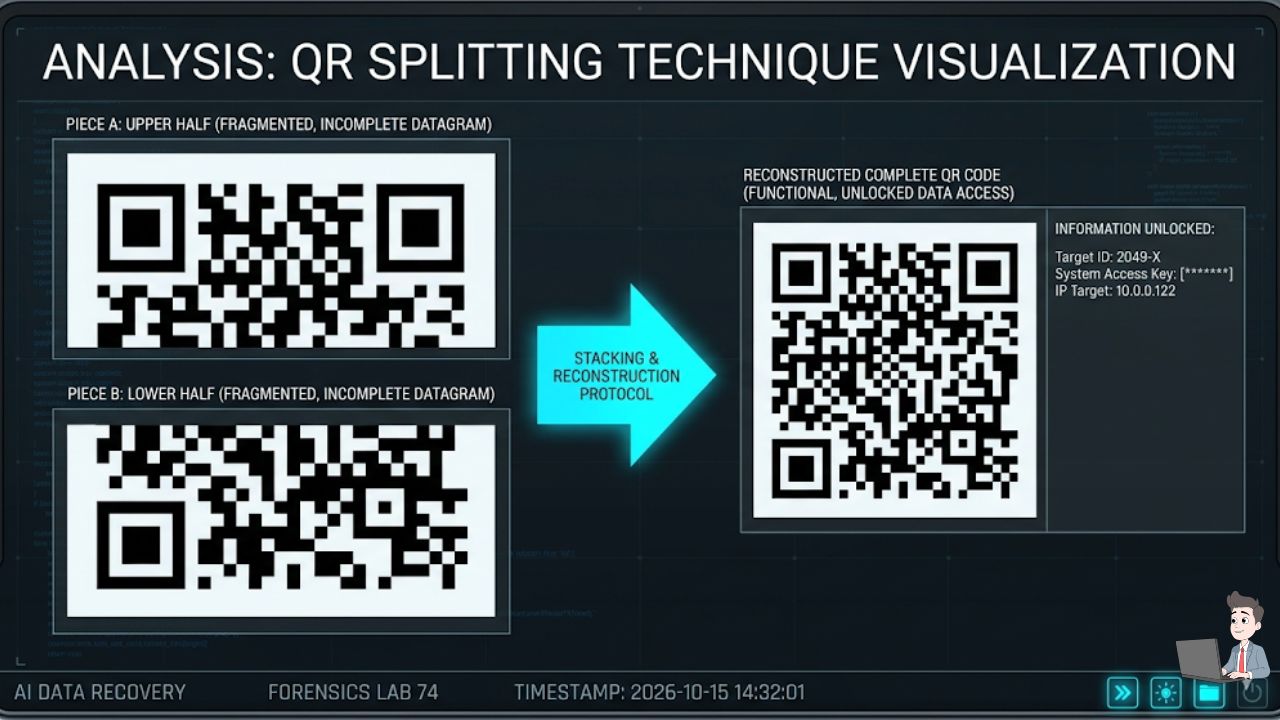
There is a notorious phishing kit that uses a technique called QR Splitting. When the email arrives, the hacker hasn’t attached one image; they’ve attached two halves of a QR code and used basic HTML to stack them perfectly on top of each other.
Your human eyes see a complete, scannable square. But when the security scanner looks at the raw code, it just sees two meaningless, broken half-images and passes it.
2. The Nested “Trojan” Code
Attackers take a completely safe QR code—say, one that links to an official site like Google.com—and embed it inside or tightly around a malicious QR code. When a basic security scanner looks at the image, it reads the “loudest” code, sees Google, and marks the email as safe. But when your phone camera focuses on it, it picks up the malicious outer ring and redirects you to the credential harvester.
3. The CAPTCHA Wall
Hackers are using legitimate services like Cloudflare Turnstile to put CAPTCHA walls in front of their phishing sites. Because security crawlers and anti-virus bots cannot solve CAPTCHAs, the security bot hits the wall, assumes it’s a dead or safe link, and gives up. But when a human scans the QR code, they happily click the “I am human” button and walk right into the trap.
Phase 3: How Computer Vision AI Fights Back
You can no longer rely on text-parsing; you need an email platform that literally “looks” at the email exactly like a human does.
[Incoming Email] ➔ [Computer Vision OCR] ➔ [Extract Hidden URL] ➔ [Detonate in Cloud Sandbox] ➔ [Verify Final Destination]
Inline Sandboxing and Heuristics
Modern Phishing Protection platforms use machine learning to scrutinize pixel anomalies. They piece together split images and extract the embedded data.
Once the AI extracts the hidden URL, it doesn’t just check a blocklist. It “detonates” the link in an isolated cloud sandbox. It acts like a human, clicking through the CAPTCHA walls to see what the final destination actually is. If it finds a fake Microsoft login page at the end of the maze, it retroactively quarantines the email from your inbox.
Behavioral Baseline Checks
AI doesn’t just look at the image; it looks at the context. If your “CEO” sends you an email at 11:00 PM on a Sunday with a QR code attached, the AI asks a crucial question: “Does the CEO normally communicate this way?” If the behavioral engine knows the CEO has never sent a QR code in the history of the company, it flags the email for intense review, regardless of what the image scanner says.
Phase 4: The Physical World (Parking Meters & Delivery Slips)
Quishing isn’t just a digital problem. It has bled into physical infrastructure, catching incredibly smart people completely off guard.
| Physical Scam | The Trap Mechanics | The Direct Defense |
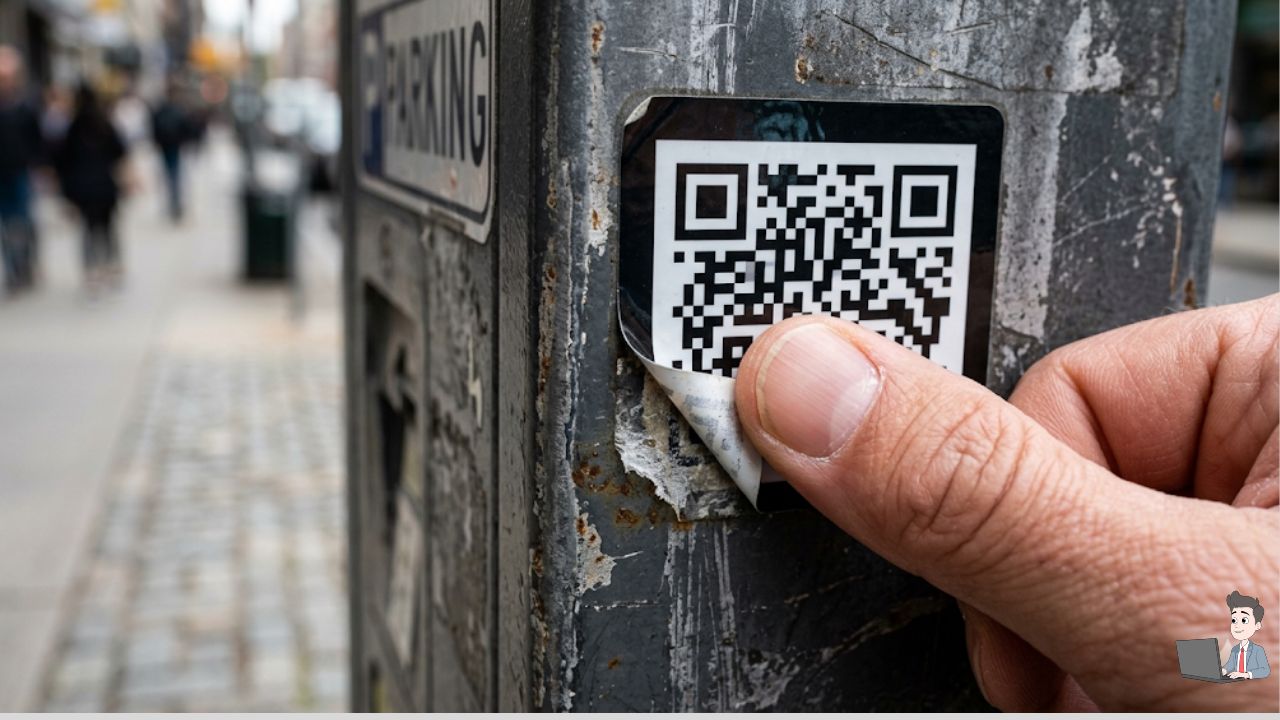
| The Parking Meter Overlay | Fraudsters stick fake “Scan to Pay” QR codes directly onto city parking meters or EV charging stations. | Perform a Tactile Check: Run your thumb over the code. If it feels like a raised sticker with peeling edges, skip it and use the official city app. |
| The “Missed Delivery” Slip | A fake FedEx or UPS note left on your door claims you missed a delivery and tells you to scan a code to reschedule a $2.00 fee. | Rely on the URL Preview: Both iOS and Android show the domain before launching. If it says delivery-hub-404.xyz instead of fedex.com, trash it. |
Phase 5: Incident Response (I Scanned It… Now What?)
If you were moving too fast, entered details, and suddenly got that sinking feeling in your stomach, every second counts. Follow this strict mitigation protocol to limit the blast radius:
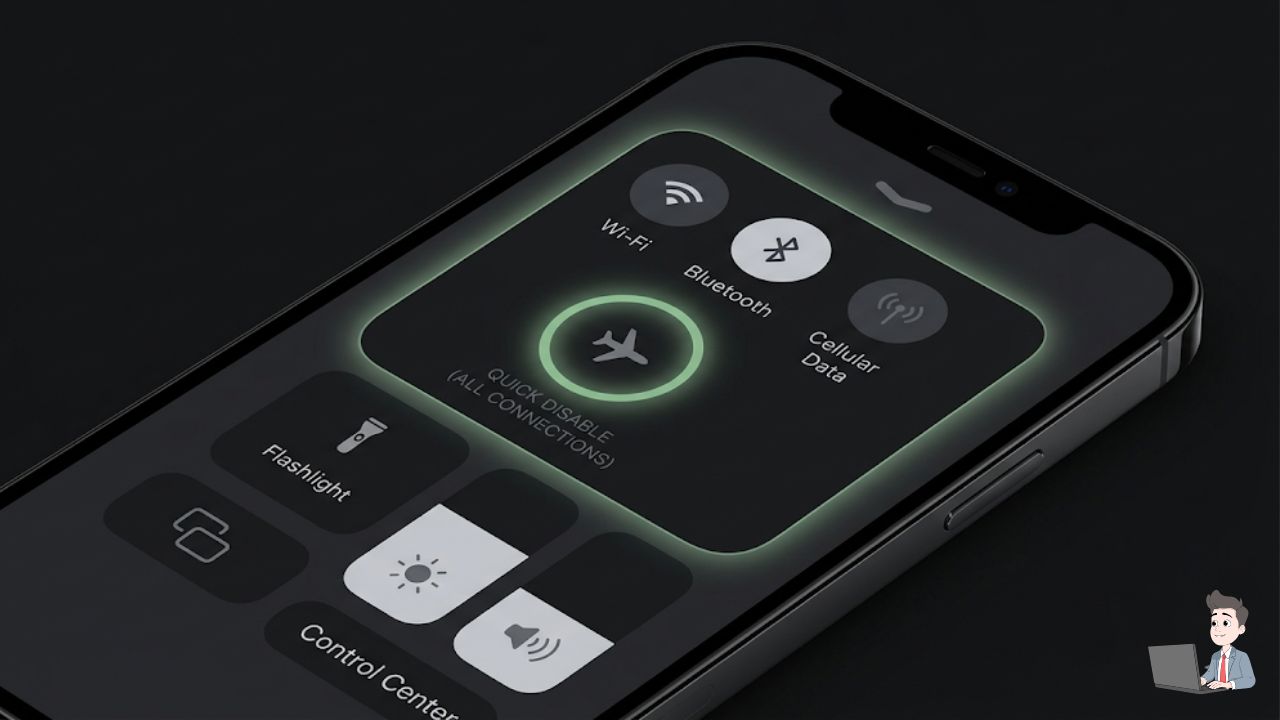
- Hit the Kill Switch (Airplane Mode): Pull down your control center and turn on Airplane Mode immediately. This severs the connection to the attacker’s Command and Control server, stopping background token exfiltration or remote access payloads dead.
- Revoke Your Sessions: If the QR code was a session hijacking attempt (like a fake WhatsApp or Discord login prompt), go to the official app on your phone, navigate to
Settings > Linked Devices, and hit “Log Out of All Devices.” This invalidates the session token the hacker just copied. - Rotate from a Safe Device: Do not change your passwords on the phone you just used to scan the code. Walk over to your laptop or a clean desktop PC, log into your banking or enterprise email accounts, and change your credentials there.
The Bottom Line: Zero Trust for the Square
We have spent the last twenty years training ourselves to be skeptical of the internet. We check URLs, look for secure padlocks, and avoid suspicious links. But the moment you put that exact same link inside a black-and-white box, our critical thinking vanishes.
The Quishing epidemic thrives on convenience. The only way to stop it is to slow down. Treat every QR code like a stranger asking to borrow your wallet. Most of them are just trying to hand you a restaurant menu, but it only takes one bad scan to lose it all.
Security Disclaimer: This article is for educational and informational purposes only. QR code phishing techniques and mobile exploits evolve rapidly. Always implement official enterprise-grade security filters on corporate networks and consult with a certified cybersecurity professional for specific organizational risk assessments.
About the Author:
Olivia is an enterprise automation consultant and the founder of Profit Shield AI. She designs secure operational workflows and AI-driven security protocols, helping businesses eliminate backend vulnerabilities and protect their digital assets.