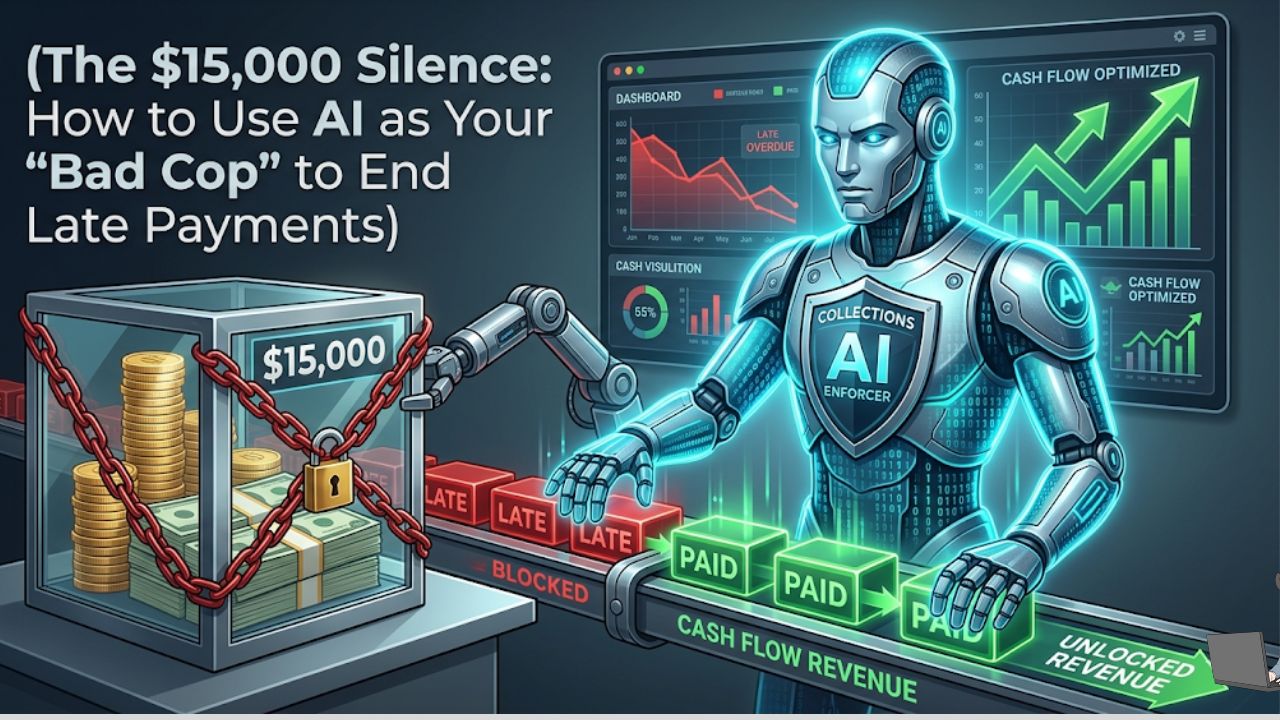
I’ll never forget the “Big Client” who almost sank my agency back in 2024.
We had just finished a massive three-month project. The deliverables were live, the client was thrilled, and the invoice was for a cool $15,000. I had already mentally spent that money on new hardware and a well-deserved team dinner. Then, the due date came. And went.
I waited three days. Nothing. I waited a week. Silence. Every morning, I’d open my bank app, heart hammering, only to see the same stagnant balance. By day 14, I was paralyzed. I wanted to send an email, but I didn’t want to look desperate. I didn’t want to “ruin the vibe” of a great relationship.
If you’ve ever sat at your desk, staring at a “Past Due” notification while your own bills are piling up, you know that specific, low-grade nausea. It’s the most awkward dance in business. You’ve done the work, but now you’re basically begging for your own paycheck.
US small businesses are currently sitting on an estimated $825 billion in unpaid invoices. That isn’t just money; it’s lost growth and missed payroll. In 2026, I stopped being the bill collector and started letting AI play the “Bad Cop.”
The Psychological Barrier: Why We Are Bad at Collecting
The biggest reason we have unpaid invoices isn’t usually that the client is broke. It’s because we, as business owners, are afraid of friction. We think that asking for money makes us look like we’re struggling.
The Reality: Your clients expect to pay you. When you don’t ask, you aren’t being “nice”—you’re being unprofessional.
When I shifted to an AI-driven Accounts Receivable (AR) system at Profit Shield AI, my stress plummeted. “The System” became the sender. If a client was late, it wasn’t a personal snub to me; it was just a data point in a workflow.
Phase 1: The “Tuesday Morning” Strategy (Unique AI Insight)
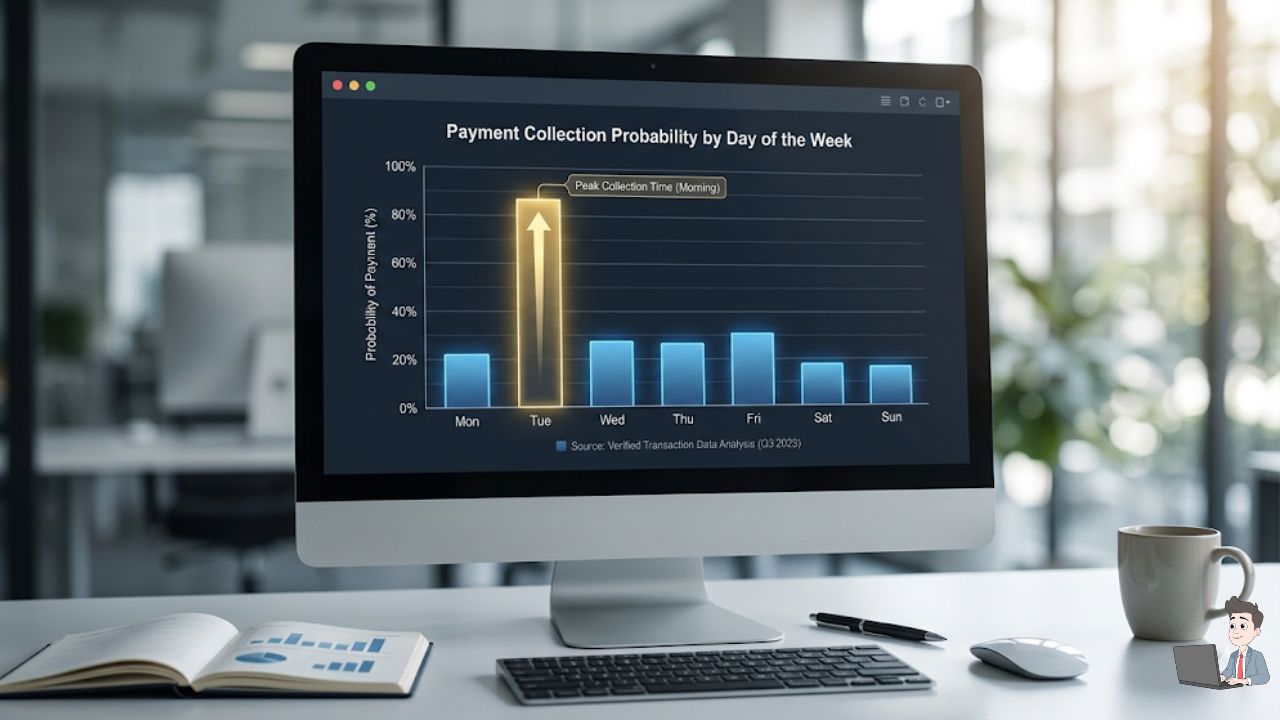
Most people send invoice reminders whenever they happen to remember—usually on a Friday afternoon. This is a massive mistake. Friday emails get buried under the “I’ll deal with this Monday” pile.
Modern AI tools like Chaser or Upflow utilize Payment Velocity Prediction. They analyze when your specific client’s Finance department actually processes payments.
- The Logic: Most corporate Accounts Payable (AP) departments run their “Payment Batches” on Tuesday or Wednesday mornings.
- The Action: Set your AI to deliver the reminder at 9:55 AM on Tuesday.
- The Result: Your invoice sits at the absolute top of the CFO’s inbox exactly when they are opening their portal to authorize wires.
Phase 2: The “3-3-3” Dunning Cadence
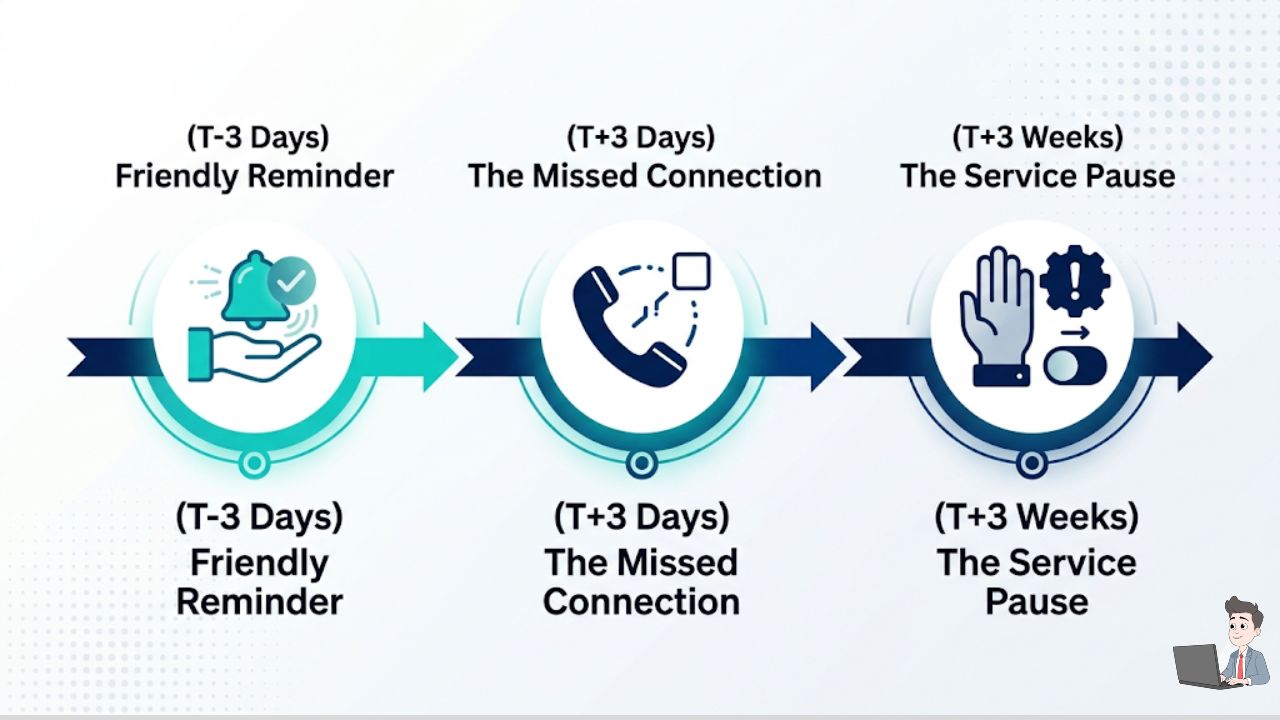
Consistency is the enemy of the “Ghosting Client.” I use the 3-3-3 Rule for my automation sequences to maintain professional pressure:
- 3 Days Before: A friendly, automated “heads-up.”
- 3 Days After: The “Missed Connection” check. (e.g., “Is there anything you need from our end to get this processed?”)
- 3 Weeks After: The “Hard Pause.” (e.g., “To keep our resources allocated to your project, we’ll need to pause services until the balance is settled.”)
Watch this excellent, over-the-shoulder tutorial by a certified bookkeeper on how to program this exact 3-step automated reminder cadence natively inside QuickBooks Online, so you never have to send a manual follow-up again.
Pro Tip: Never wait a month to follow up. Remind them while the “win” of your project is still fresh in their minds.
Phase 3: The “Bad Cop” Alias Strategy
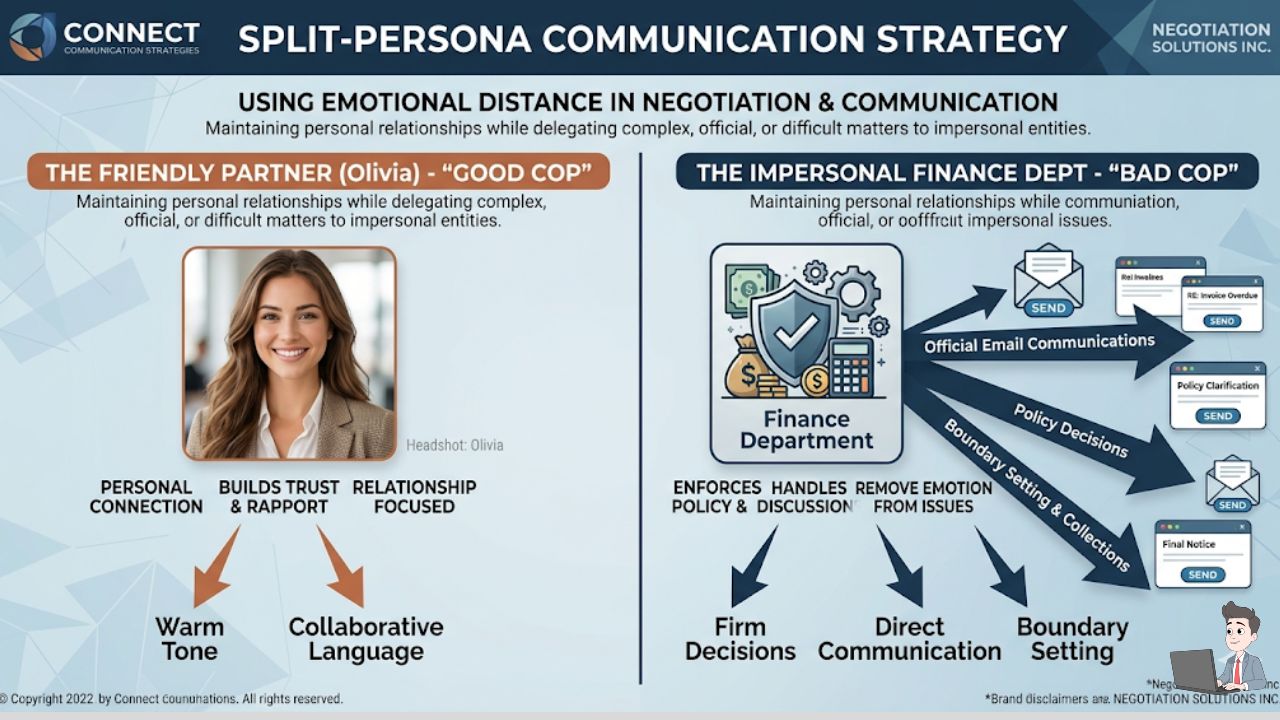
This is a tactic I haven’t seen shared often, but it is a total game-changer for solo founders. I don’t send my collections emails from my personal address. I created a separate alias: finance@profitshieldai.com.
The Psychology:
- When “Olivia” asks for money, it feels like a personal favor.
- When “The Finance Department” asks for money, it’s a standard procedure.
This allows me to have a friendly, creative Zoom call with the client on Wednesday, while “The System” sends them a firm reminder on Thursday. If they bring it up, I just say, “Oh, the automated system handles all the billing, I don’t even see those alerts!” It keeps me the “Good Cop” every time.
Phase 4: Managing the “Cash Gap” with Tech
Sometimes, you can’t wait 30 days. You might have a tax bill or a new hire starting.
| Strategy | How it Works | Best For |
| Invoice Factoring | Sell the invoice to a platform like BlueVine for ~95% of the value today. | Emergency liquidity / Huge Fortune 500 clients. |
| Dynamic Discounting | Offer “2/10 Net 30″—a 2% discount if they pay within 10 days. | Clients with large cash reserves who love “saving” money. |
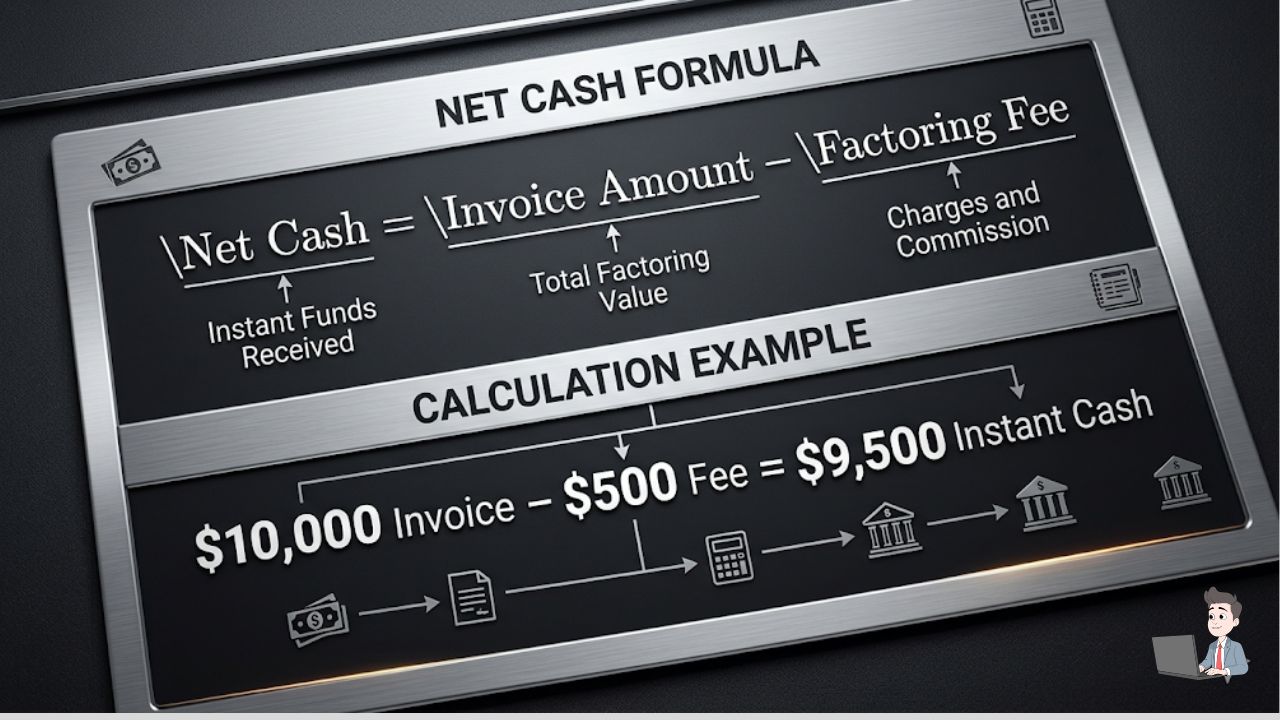
If you choose factoring, your net gain follows this logic:
$$\text{Net Cash} = \text{Invoice Total} – (\text{Service Fee} \times \text{Invoice Total})$$
Phase 5: Common Pitfalls to Avoid
- Ignoring the “AP Contact”: Never just email your direct contact (like a Marketing Manager). During onboarding, always ask: “Who is your Accounts Payable contact so I can make sure my system sends invoices to the right place?”
- The “Wall of Silence”: If a client stops replying to emails, the AI has reached its limit. That’s when you pick up the phone. A 30-second “checking in” call is worth 100 emails.
The Bottom Line
Getting paid is a part of the service you provide. If you aren’t getting paid, you aren’t running a business; you’re running a hobby. By using AI to automate the uncomfortable parts of Accounts Receivable, you’re not being “mean”—you’re being efficient.
Go into your accounting software today. Find your three oldest invoices. Set up a “Finance” alias, hook up an automated “Chaser” sequence, and let the AI do the heavy lifting.
Revenue Disclaimer: This article is for educational purposes. Success in debt collection depends on your contract terms and client relationship. Always consult with a legal professional before implementing late fees or service pauses.
About the Author:
Olivia is the founder of Profit Shield AI, where she helps digital agencies and freelancers automate their “boring” backend tasks so they can focus on high-level growth and creative work.
What’s the longest you’ve ever waited for an invoice to be paid? Let’s swap horror stories in the comments.