
I was staring at my CRM last October, and it looked like a digital graveyard.
There were 1,200 leads in there—names we had spent thousands of dollars and months of work to acquire. Most followed the same tragic script: they were “super excited” during the initial demo, we exchanged a few promising emails, and then… nothing.
Total, echoing silence.
I’d send a “Just checking in” email on Tuesday. Crickets. I’d try again on Thursday. More crickets. I started telling myself the usual lies: “They went with a competitor,” or “They didn’t have the budget.”
But here’s the reality I’ve learned after a decade in tech sales: Dead leads usually aren’t dead; they’re just distracted.
In 2026, we have a massive advantage. We have AI-driven “Intent Intelligence” that can act as a Ghostbuster—scanning the graveyard, finding the prospects with a pulse, and waking them up without making us look like desperate spammers.
Phase 1: The “Digital Pulse” (Timing over Volume)
Before you blast 1,000 “Are you still there?” emails and ruin your domain reputation, you need to check for a pulse.
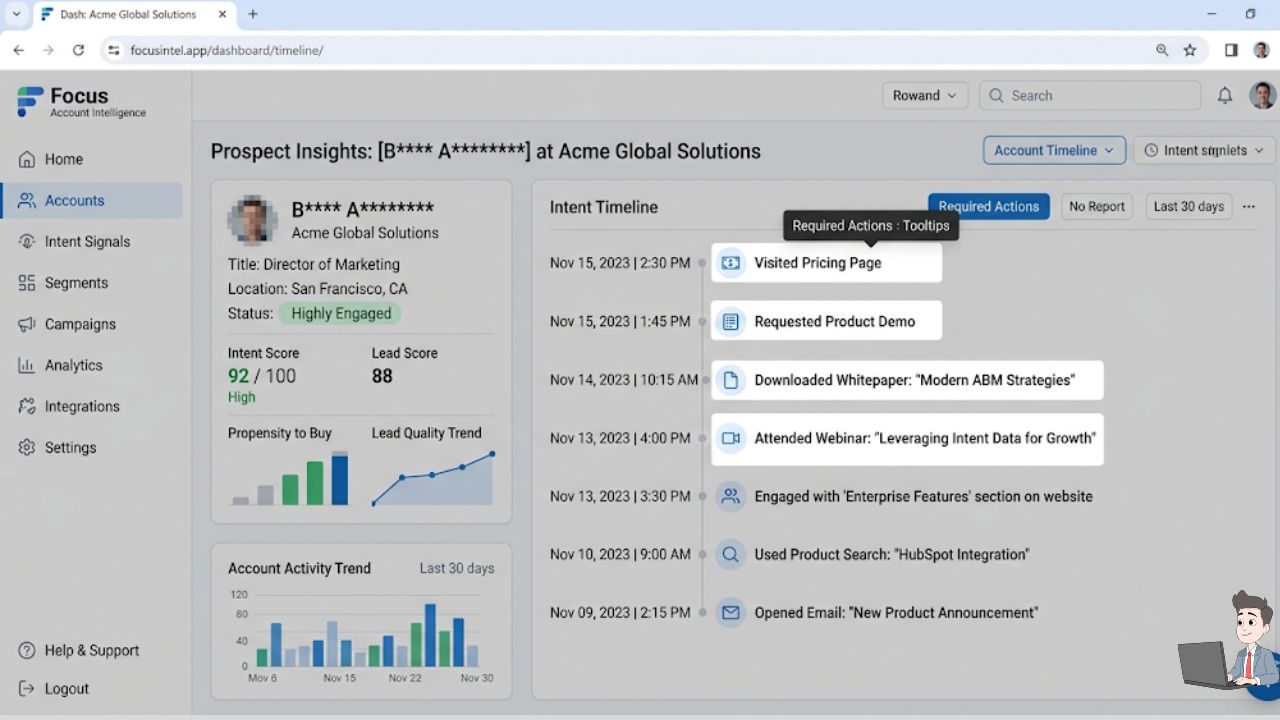
In the early days, I would manually check LinkedIn profiles to see if someone changed jobs. It was a massive time-sink. Now, I use Intent Scapers to track “Digital Body Language.”
| Signal Type | What it Means | AI Tool Example |
| First-Party Intent | A “dead” lead visits your pricing page or re-reads a proposal. | 6sense or Leadfeeder |
| Third-Party Intent | They are searching for your competitors on review sites (G2/Capterra). | Bombora |
| Identity Shift | They left their old company and joined a new one with a fresh budget. | Clay |
The Golden Rule: Only spend your human energy reviving the “Zombies” showing activity. Let the truly dead leads rest so you can focus where the money is.
Phase 2: The Resurrection Scripts (Psychology of the Nudge)
This is the workflow I’ve refined at Profit Shield AI. It relies on a blend of behavioral psychology and AI-driven pattern interruption.
1. The “Pattern Interrupt” Subject Line
Your prospect’s inbox is a war zone. They are trained to archive “Following up” emails without reading them. I use Lavender (an AI sales coach) to trigger a psychological “reset.”
- The Winner: “Did I lose you?”
- The “Final” One: “Permission to close your file?”
- The Direct: “Still interested in [Problem]?”
Why it works: The “Permission to close your file” subject line is a Negative Reverse. Humans hate having doors closed on them. It often prompts a frantic: “No, sorry! I’ve been buried, let’s talk next week.”
2. The “9-Word Email”
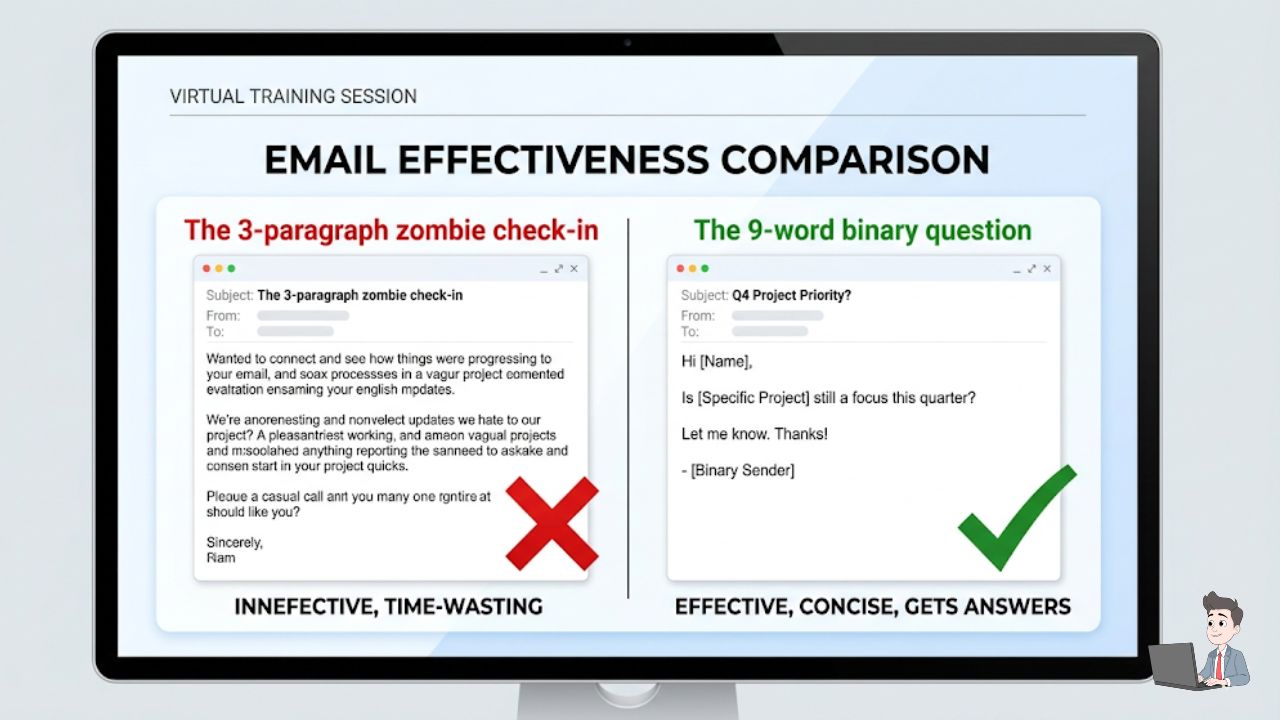
Popularized by Dean Jackson and optimized by AI for 2026, this reduces the “cognitive load” for the prospect. If you ask one binary (Yes/No) question, they can reply from their phone while walking to a meeting.
- Template: “Are you still looking for help with [Specific Problem]?”
- Real-world examples:
- “Are you still looking to automate your Pinterest traffic?”
- “Have you given up on fixing your CRM data rot?”
Phase 3: The Technical “ID Card” (Deliverability)
You can have the best script in the world, but if your technical setup is wrong, your emails are going straight to the Spam folder. If you are sending “revival” campaigns, you must have your DNS “ID Cards” in order.
- SPF (Sender Policy Framework): Proves the server is authorized to send on your behalf.
- DKIM (DomainKeys Identified Mail): A digital signature that prevents email tampering.
- DMARC (Domain-based Message Authentication): The “bouncer” that tells other servers what to do if SPF or DKIM fail.
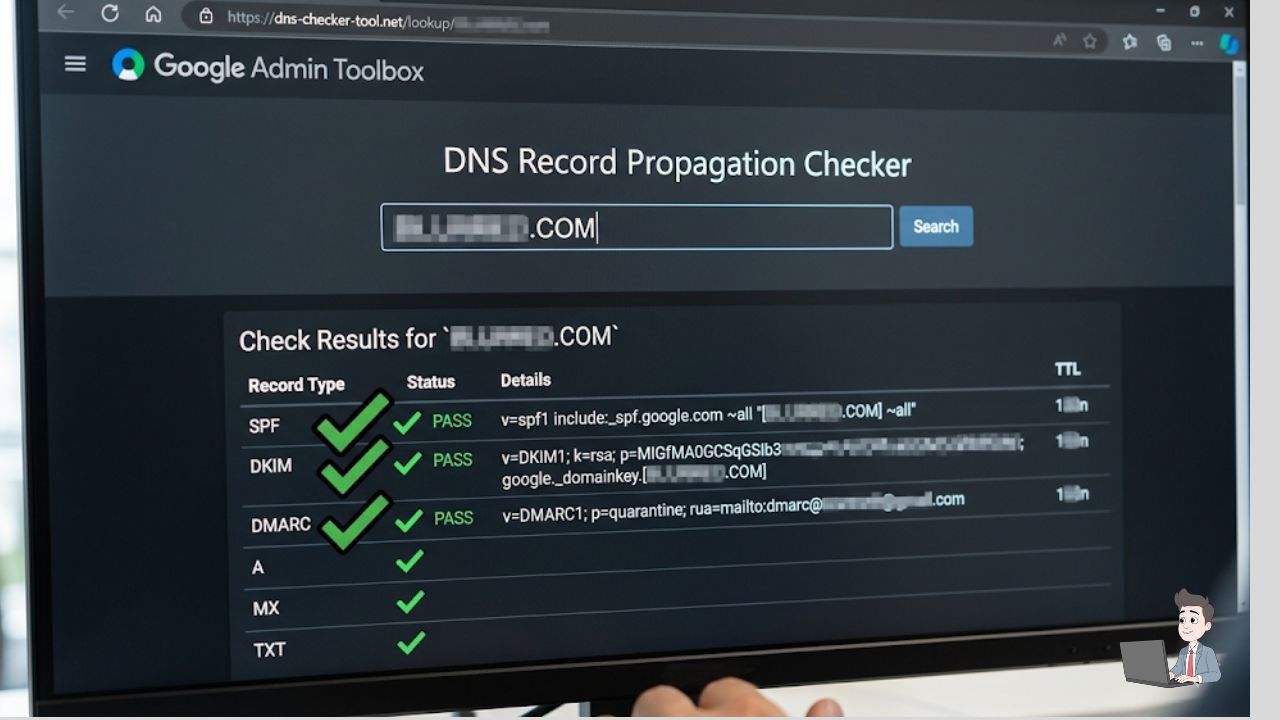
If you have never touched your domain’s backend, watch this comprehensive 17-minute technical tutorial. An IT security expert walks you step-by-step through configuring your SPF, DKIM, and DMARC records to ensure your outreach never hits the spam folder.
The “Slow Ramp” Strategy: If you suddenly send 500 emails from an account that usually sends five, Google flags you as a spammer. I use Instantly.ai to “warm up” accounts. The AI sends hundreds of simulated emails to prove I am a “good” sender before the real campaign launches.
Phase 4: The AI “Prompt Vault”
If you’re staring at a blank screen, use these prompts I’ve refined for Gemini 3.1 Pro.
Prompt: The “Value Drop” (The Giver)
“Act as a Senior Sales Copywriter. I have a lead who stopped replying to my agency. Instead of asking for a meeting, write a short email (under 60 words) offering them a 60-second Loom video I made showing a specific error I found on their site. Make it sound helpful and low-pressure.”
Phase 5: The Math of Found Revenue
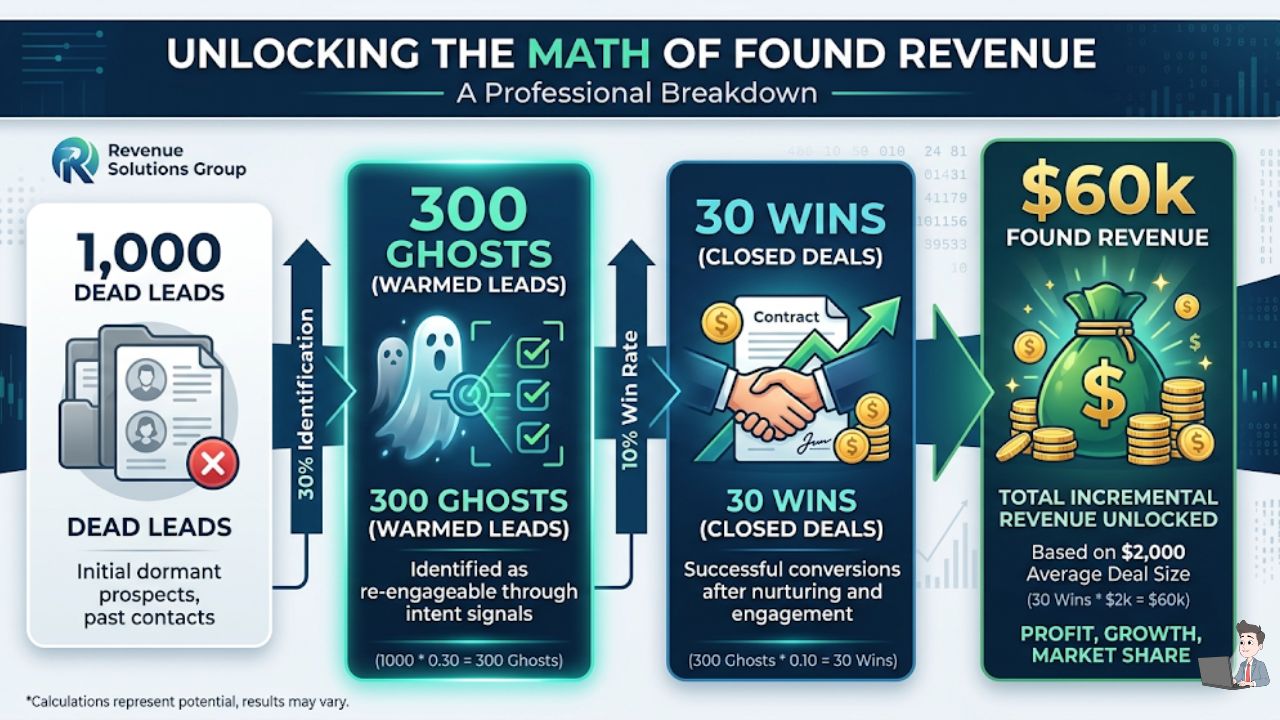
Why bother with all this? Let’s look at the ROI. In my experience, your “Dead Lead” pile usually contains a 30% Ghost Rate—people who have the problem and the budget but got distracted.
To calculate the potential “found money” in your graveyard, use this formula:
$$ \text{Potential Revenue} = (\text{Total Dead Leads} \times 0.30) \times \text{Closing Rate} \times \text{Average Deal Value} $$
If you have 1,000 dead leads, an average deal of $2,000, and you close just 10% of those “Ghosts,” you just found $60,000 sitting in a spreadsheet you were going to ignore.
Common Mistakes: The “Lead Killers”
- The “Checking In” Sin: Never use these words. It adds zero value and immediately signals “I am a salesperson.”
- The Giant PDF: Don’t attach a 10MB case study to a first email. It triggers spam filters. Link to a hosted version instead.
- The “Nuke” Approach: Don’t email your entire dead list at once. If you get too many “spam” reports in one hour, your entire company’s domain could get blacklisted.
Final Thoughts
The fortune is in the follow-up. Your prospects aren’t trying to be rude; they are just overwhelmed. By using AI to track their intent and sending short, binary questions that respect their time, you move from being a “pest” to being a “partner.”
Go into your CRM right now. Find ten people you haven’t spoken to in six months. Send a 9-Word Email. I bet at least two of them reply within the hour.
AdSense Disclaimer: The strategies discussed here are based on personal professional experience in B2B sales. Results vary based on industry, lead quality, and market conditions. Always ensure your outreach complies with local regulations, such as CAN-SPAM in the U.S. or GDPR in Europe.
About the Author:
Olivia is a digital entrepreneur and the founder of Profit Shield AI. She specializes in AI-driven lead revival and data governance, helping businesses capture lost revenue through technical automation and behavioral psychology.