I’ll never forget a specific Tuesday morning about three years ago. The coffee was hot, the sun was shining. I was sitting down to review what looked like a record-breaking month for ProfitShieldAI.com.
Then, my inbox pinged.
Subject: Cancellation Notice – Account #4092
My stomach dropped into my shoes. It wasn’t just any client; it was one of our oldest, highest-paying accounts.
I immediately went into full panic mode. I scrambled to type out a reply: “I am so sorry to hear this! Is there anything we can do to fix it? Can we jump on a call this afternoon?”
Radio silence. They were gone.
I spent the next week obsessing over what went wrong. I reviewed our last few emails, checked the deliverables, and looked at the data.
That’s when the brutal truth hit me. They didn’t leave on that Tuesday. They had mentally checked out 45 days prior. I just didn’t see the signs because I was too busy hunting for new business to notice the back door was wide open.
In the business world, we obsess over customer acquisition. We spend fortunes on ads and sales teams. But we rarely talk about the silent, devastating cost of losing the people who already trusted us.
When that cancellation email hits, most founders frantically search for retention strategies. By then, you are performing an autopsy. The real question you should be asking is: “How could I have seen this coming a month ago?”
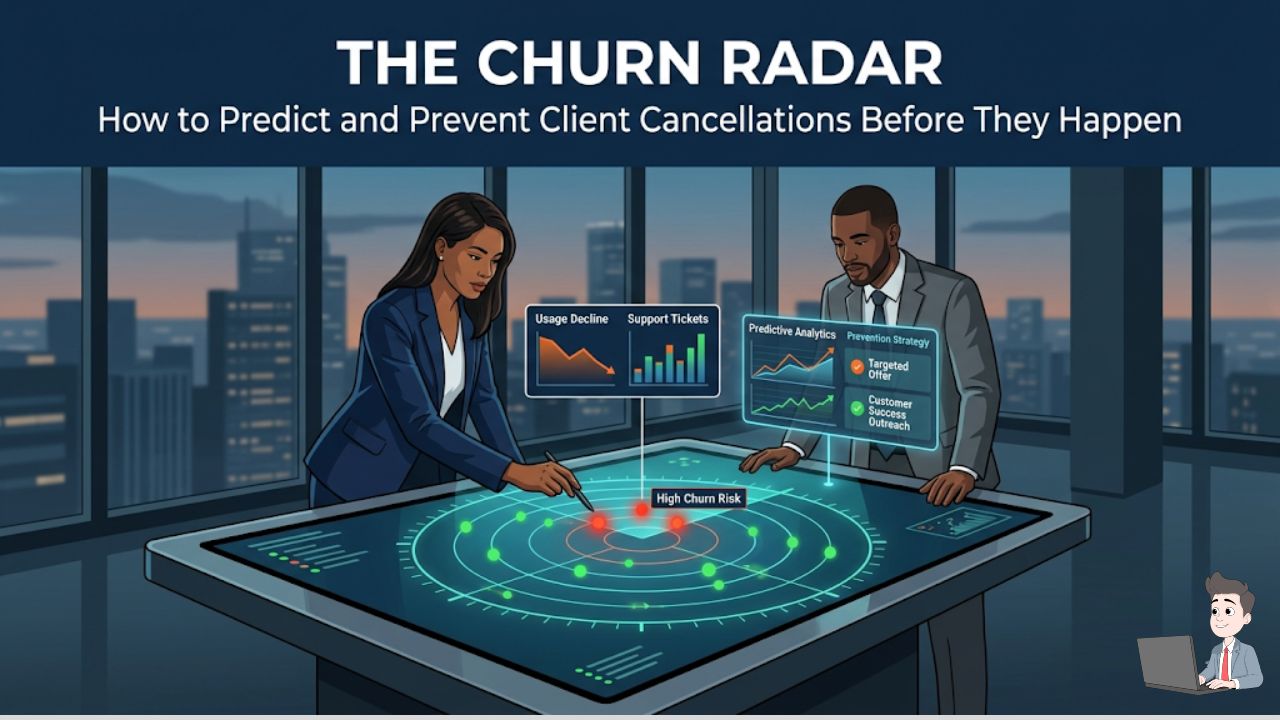
Here is how I completely changed my approach to retention. By building what I call a “Churn Radar” using predictive data, you can spot an exit weeks in advance. You can step in with a true, heart-to-heart conversation and save the relationship before the cancellation letter is ever drafted.
Phase 1: The Science of “Silent Quitting”
Clients rarely wake up, get angry, and abruptly decide to quit. It is almost always a slow fade.
To a busy human account manager, everything looks fine because the client isn’t actively yelling. But to an artificial intelligence engine monitoring telemetry data, the warning signs are flashing bright red.
Predictive Churn Analytics isn’t magic. It is simply pattern recognition on steroids. While you are busy running the company, AI models crunch hundreds of data points to answer one simple question: “Is this account acting like someone who is packing their bags?”
Here are the specific leading indicators my systems look for that humans almost always miss:
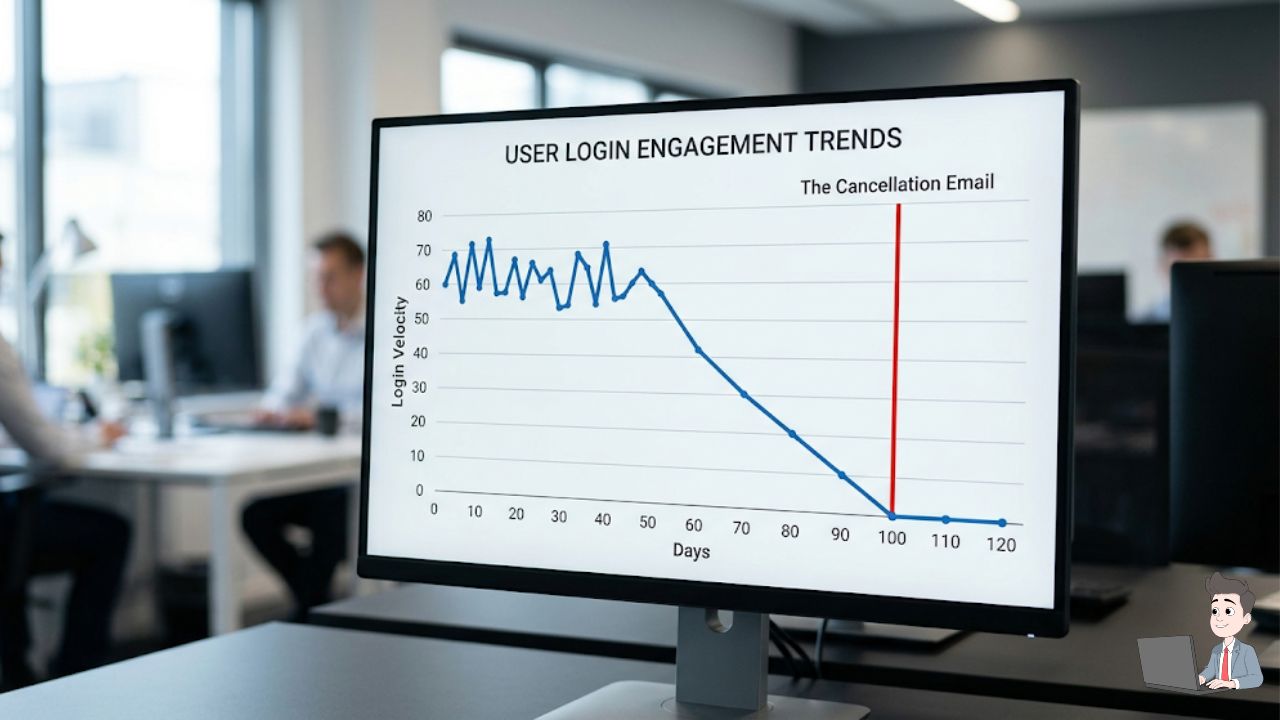
- The “Login Velocity” Drop: This is the most obvious sign in SaaS or client portals. If a user drops from logging in five times a week to once every two weeks, they are disengaging. Your product is no longer part of their daily workflow.
- The “Ticket Silence” Trap: We hate getting support tickets because they feel like complaints. But a client who complains is a client who still cares. When a client suddenly stops asking questions and submitting tickets, they haven’t achieved perfect satisfaction. They have given up. Absolute silence is the loudest churn signal in existence.
- The “Feature Abandonment” Signal: They used to use three of your core features, but over the last month, they only used one. The perceived value of your service in their eyes is shrinking by the day.
- The “Champion” Exit: Often, you sell your service to a specific internal champion. If that person gets promoted, fired, or leaves for a new job, your account is immediately at risk. Modern AI platforms can scrape API data to alert you the second your key stakeholder changes their job title.
If you want to understand the exact data science behind how these signals are processed, watch this official AWS masterclass. It breaks down how machine learning models analyze behavioral data to identify high-risk accounts before they cancel.
When you feed these signals into an AI, it assigns a “Customer Health Score” to every account from 0 to 100. If an account drops from a 90 to a 60, the radar pings. You now have a 30-day head start.
Phase 2: The 10-20-70 Rule of Predictive Data
I see business owners make a massive mistake here. They buy an expensive AI churn-prediction software, hook it up to their CRM, and expect their retention rates to magically improve.
They don’t.
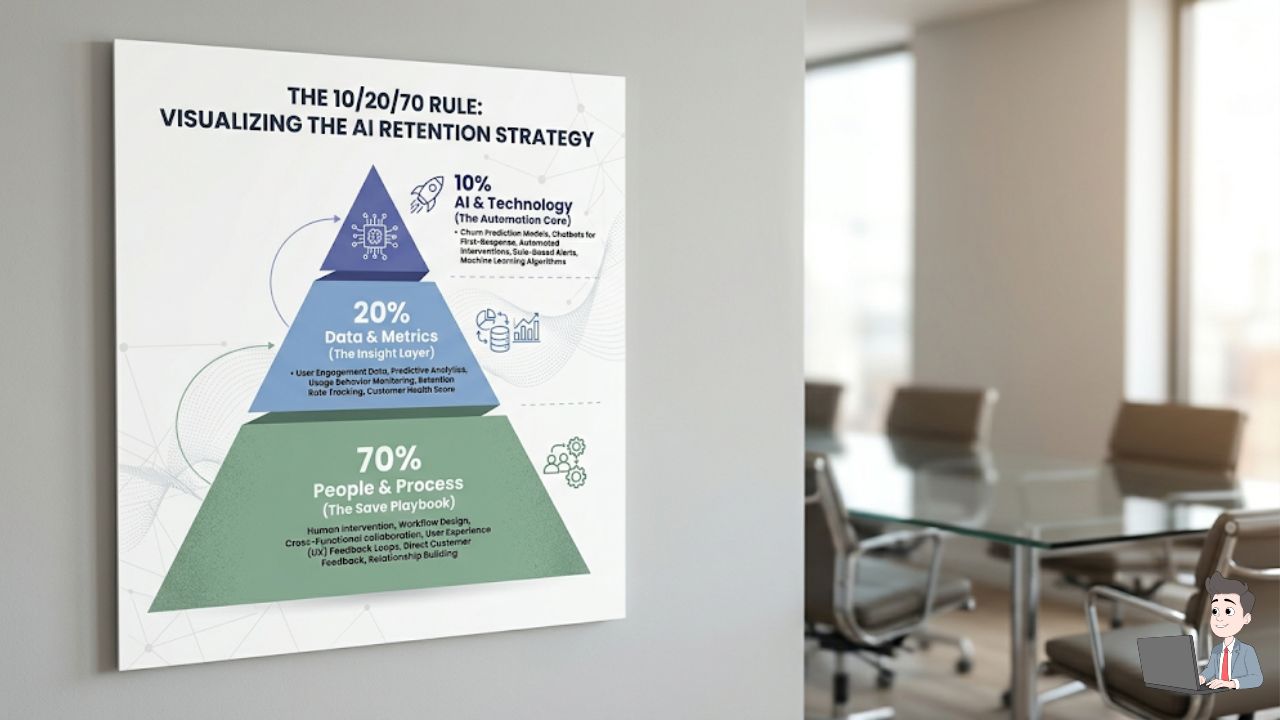
In the tech industry, successful AI adoption follows a strict framework:
| The Variable | Percentage | Operational Reality |
| The Algorithm | 10% | The actual machine learning code that predicts the churn based on historical data. |
| The Technology & Data | 20% | Integrating your billing, support, and product usage data so the AI has a clean picture. |
| The People & Process | 70% | The human element. This is where you actually save the revenue with deep, empathetic intervention. |
If your AI dashboard flags a client as a high churn risk, but your team doesn’t have a specific, rehearsed playbook to execute that afternoon, the prediction is useless. You don’t just need a smarter AI; you need a more caring human response plan.
Phase 3: Understanding the Exit
Before you can build your playbook, you have to know what kind of exit you are dealing with. Not all churn is created equal.
- Logo Churn (The Heartbreaker): They cancel the contract entirely and go to a competitor. This requires an immediate executive phone call and a vulnerable conversation.
- Revenue Churn (The Downgrade): They stay a client, but they downgrade from a premium tier to a basic tier. They still like you, but their budget got slashed. This requires a strategic pivot to deliver maximum value on a smaller scale.
- Involuntary Churn (The “Oops”): This is pure, preventable waste. Their corporate credit card expired, the payment failed, and they forgot to update it. You don’t need a deep emotional intervention here. You just need automated dunning software to send polite retry sequences.
Phase 4: The 30-Day “Save” Playbook
Your Churn Radar just pinged. An account dropped to a Health Score of 45. What do you do right now?
Rule #1: Do NOT send a generic “Just checking in!” email.
If they are frustrated, a breezy, automated-sounding email will just make them angry. You need to deploy a specific, highly empathetic sequence.
Step 1: The “Pattern Interrupt”
When the AI flags a high-value client, I don’t email. I call them directly.
The Script: “Hey John, I was just looking at our backend dashboard and noticed your team’s usage has really dropped off this month. Honestly, I’m not calling to sell or push anything. I just want a blunt answer—did we fail you somewhere in the last few weeks?”
Why it works: It is completely disarming. Vulnerability builds instant trust. You are naming the elephant in the room and proving that you care deeply about their success, not just their monthly retainer.
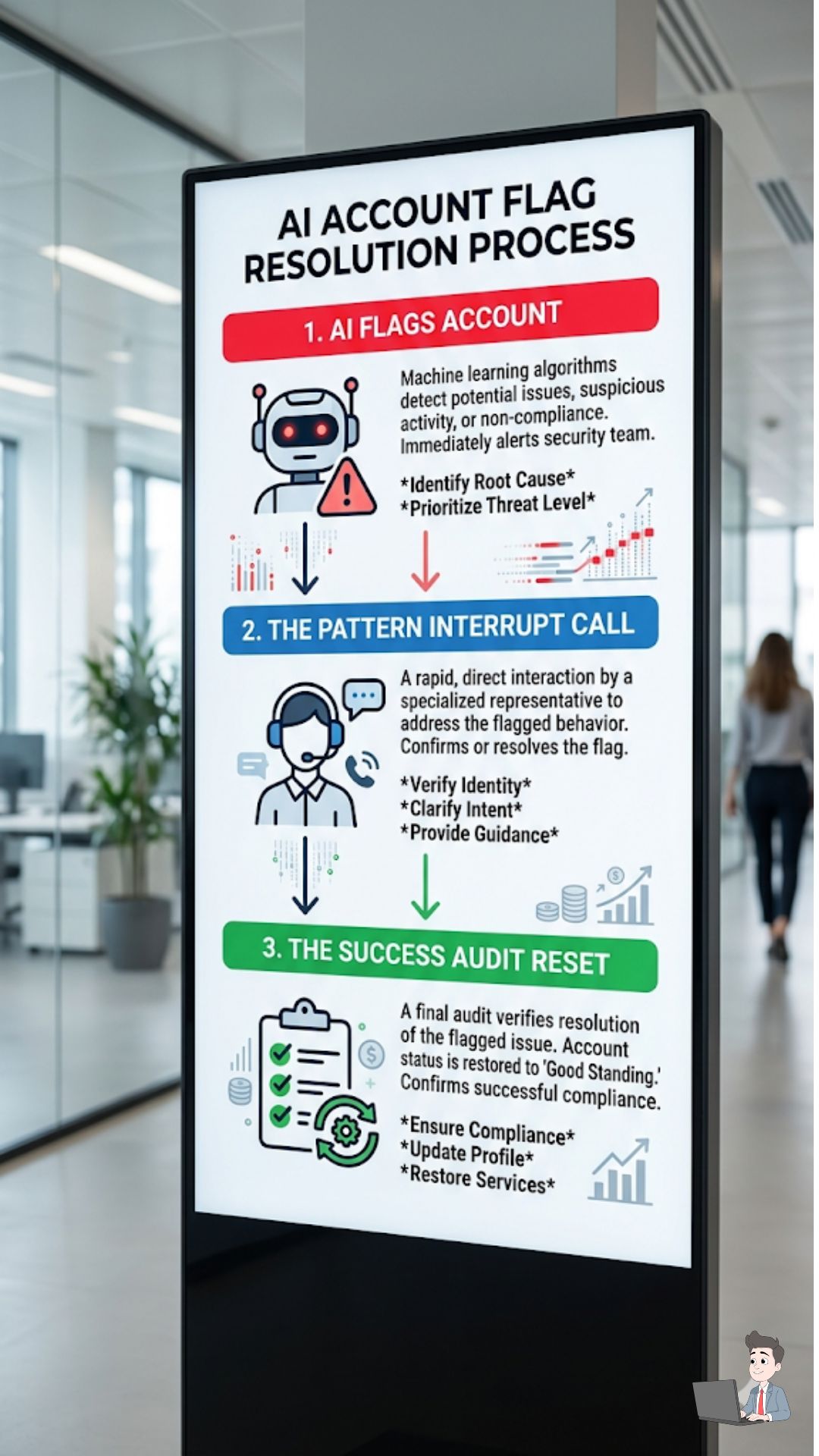
Step 2: The “Success Audit” Reset
If the predictive model was right and they admit they are struggling, you have to hit the reset button on the relationship.
The Offer: “It sounds like we didn’t onboard your new hires correctly. Let me do this: I’m going to pause your billing for the next 30 days. Next Tuesday, I want to personally get on a Zoom call with your team and completely rebuild your workflow so you actually get the value you paid for.”
The Result: You sacrifice one month of revenue to secure years of loyalty. I have used this exact script to turn high-risk churners into my most vocal, loyal brand advocates.
Phase 5: The “DIY” Churn Auditor
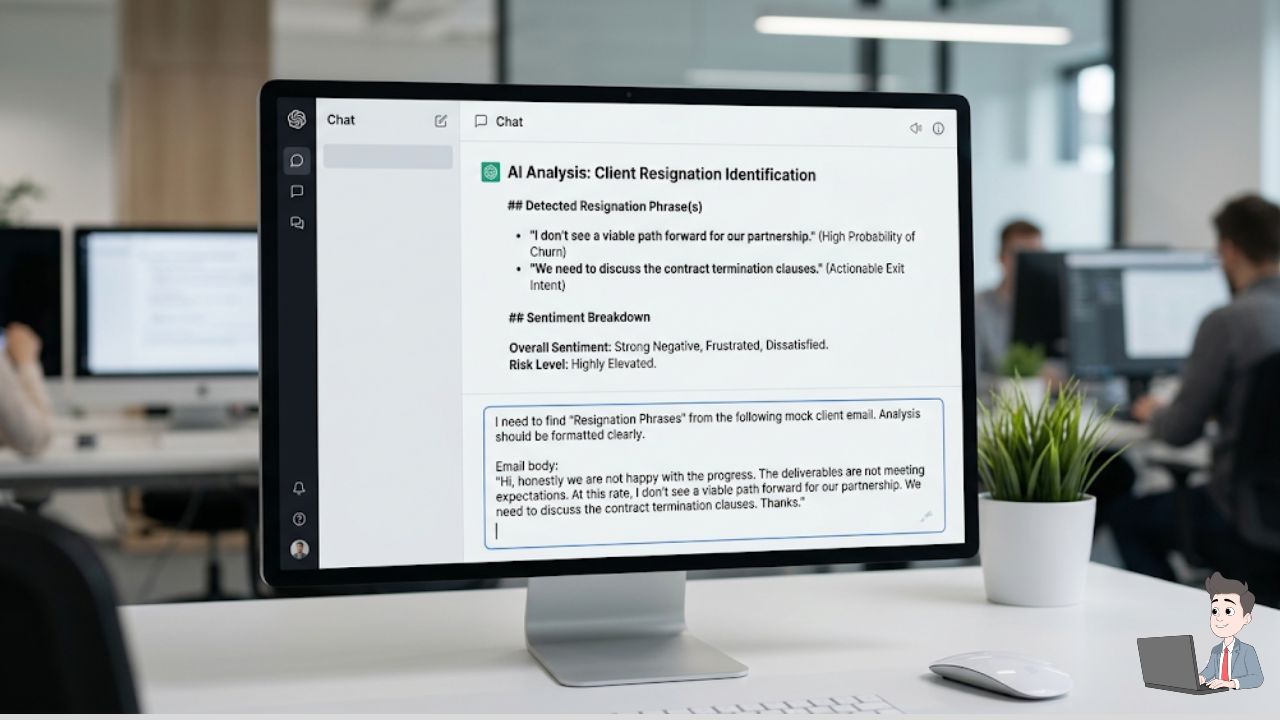
If you are a bootstrapped business and can’t afford enterprise AI tools, you can still use language models to spot hidden trends.
Export your recent customer support tickets as a CSV file. Crucial: Always scrub and anonymize the data first, removing any personal information, passwords, or financial details.
Then, use a secure instance of an LLM like Claude or ChatGPT Plus, and run this prompt:
The Sentiment Drop Prompt:
“Act as a Senior Customer Success Analyst. I am pasting an anonymized log of emails from a specific client over the last 6 months. I need you to perform a deep Sentiment Analysis. Track the shift in tone from their first email to their last. Flag any ‘Resignation Phrases’ (e.g., ‘Nevermind, we will figure it out’, ‘Don’t worry about it’). Based on this text, give me a ‘Churn Probability Score’ from 1 to 100, and explain exactly what operational interaction caused the relationship to sour.”
You will be amazed at what the AI catches. It will often point out a seemingly harmless email from three months ago where a support rep was slightly dismissive, identifying that as the exact moment the client’s tone shifted from collaborative to cold.
Frequently Asked Questions (The Hard Conversations)
A client wants to cancel, but we have a “30-Day Notice” clause. Do I enforce it?
This is a tricky balance. The clause exists to protect your cash flow. However, if a client is deeply unhappy and feels trapped by a legal technicality, they will pay the final invoice but leave a scathing 1-star review.
My advice: Enforce the 30 days for billing, but use those 30 days to heavily assist their offboarding. Make leaving an incredibly smooth, caring experience. I’ve had clients leave, realize the grass wasn’t greener, and come back six months later purely because we treated them with respect during the exit.
What is the most polite way to respond to a cancellation email?
Empathy first, procedure second.
Don’t say: “Per section 4 of your contract, your final payment is due…”
Do say: “I completely understand, and I want to make this transition as seamless as possible for you. I’ve attached your final invoice and a secure link to download all your assets. I’d love to get 5 minutes of your time next week just to hear where we fell short, but either way, I’m rooting for your success.”
Can you fire a client before they churn?
Absolutely. If a client is verbally abusive to your team, or if the unit economics don’t make sense, you must initiate the breakup to protect your business.
The Script: “John, we’ve been reviewing our current capacity and the scope of your needs. At this time, we don’t feel we are the right agency to give your account the massive attention it deserves. We are going to refund this month’s retainer and help transition you to another provider.”
The Bottom Line
Churn is a part of business. You will never have a 100% retention rate, and aiming for one will just drive you crazy.
But building a “Churn Radar” isn’t about trapping people. It is about Empathy at Scale. When you have dozens or hundreds of clients, you cannot mentally keep track of everyone’s emotional state.
AI gives you the superpower to listen to a thousand clients at once. It taps you on the shoulder and says, “Hey, Sarah’s engagement is dropping. Go check on her.”
Don’t wait for the cancellation email to hit your inbox on a Tuesday morning. Look at your data today, find the silence, pick up the phone, and fight for the relationship while you still can.
Operational Disclaimer: This article is for educational purposes. Always ensure you are complying with local data privacy regulations (like GDPR or CCPA) when exporting or analyzing customer communication logs. Never upload Personally Identifiable Information (PII) to public LLMs.